
Summary #
Stored XSS affects all users (admin/normal) via the organization name. In the Security / Organizations, add an organization and enter the XSS payload in the Organization name. The payload gets executed when any user, linked to the created organization, clicks on the logout button.
General information #
Description: The organization name within Security / Organizations / Add organization is vulnerable to Stored Cross-Site Scripting (XSS).
Versions Affected: 5.4.0 through 6.5.1
Version Fixed: 6.5.2
Researcher: HEKK.ONE
Creating a new normal user #
On a fresh install of Bacularis 6.5.1
docker run -d -p 9097:9097 bacularis/bacularis-standalone:6.5.1-alpine
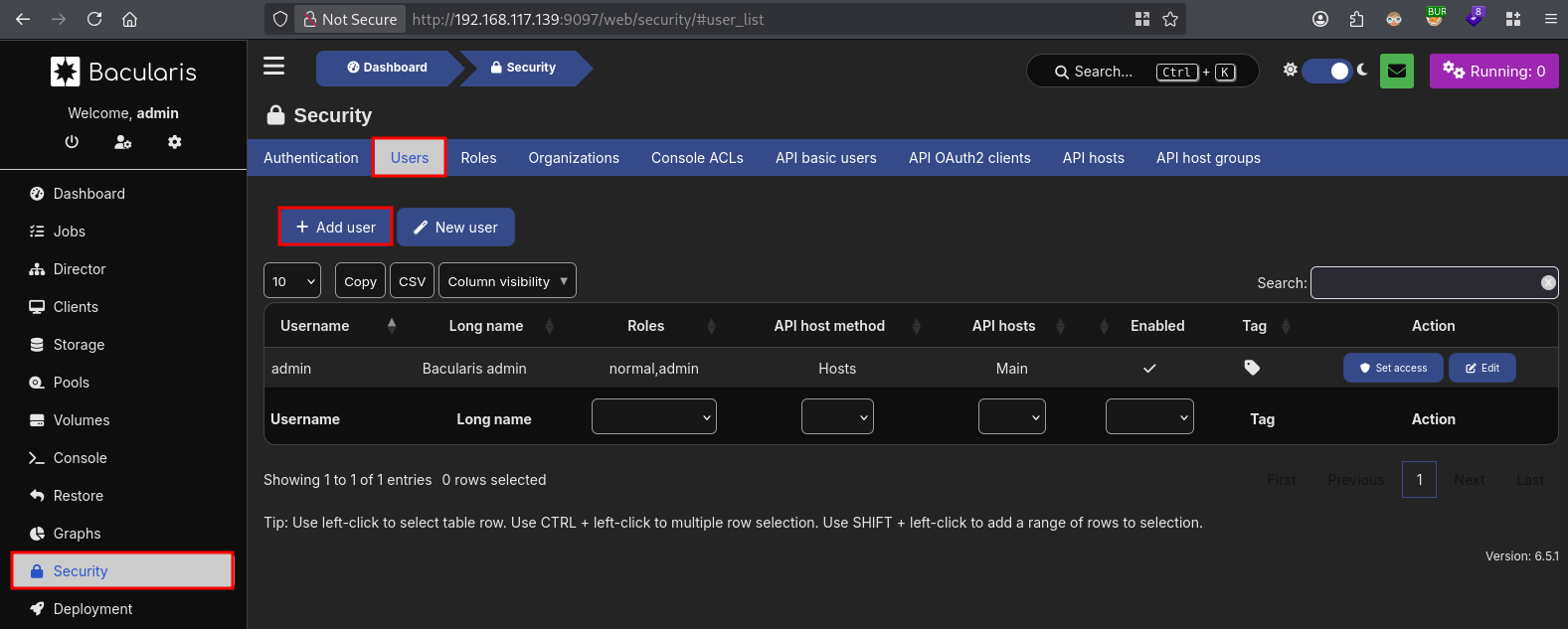
Login with admin:admin, go to Security / Users / Add user.
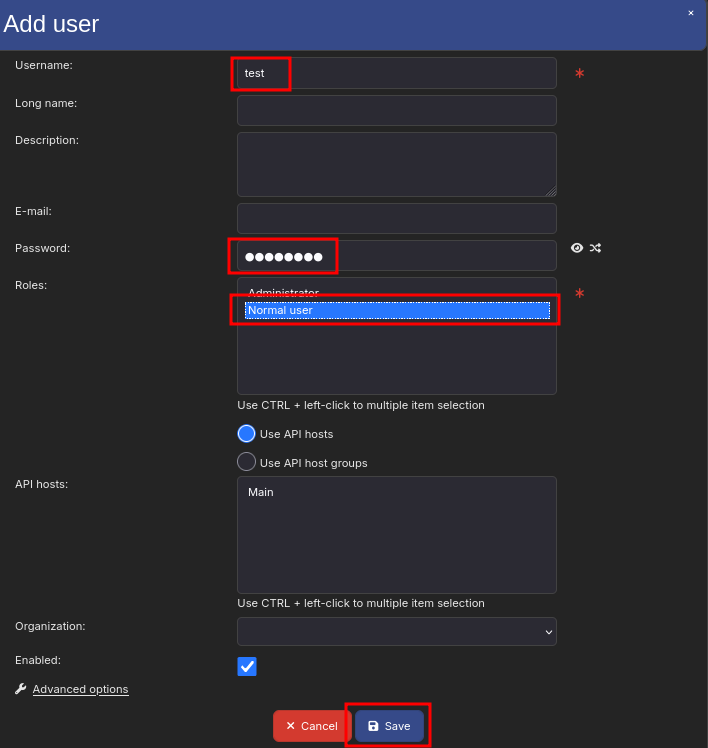
We give the new user these values for name and password: test:password1, and select Normal user. Now click Save.
Proof-of-Concept (POC) Exploit #
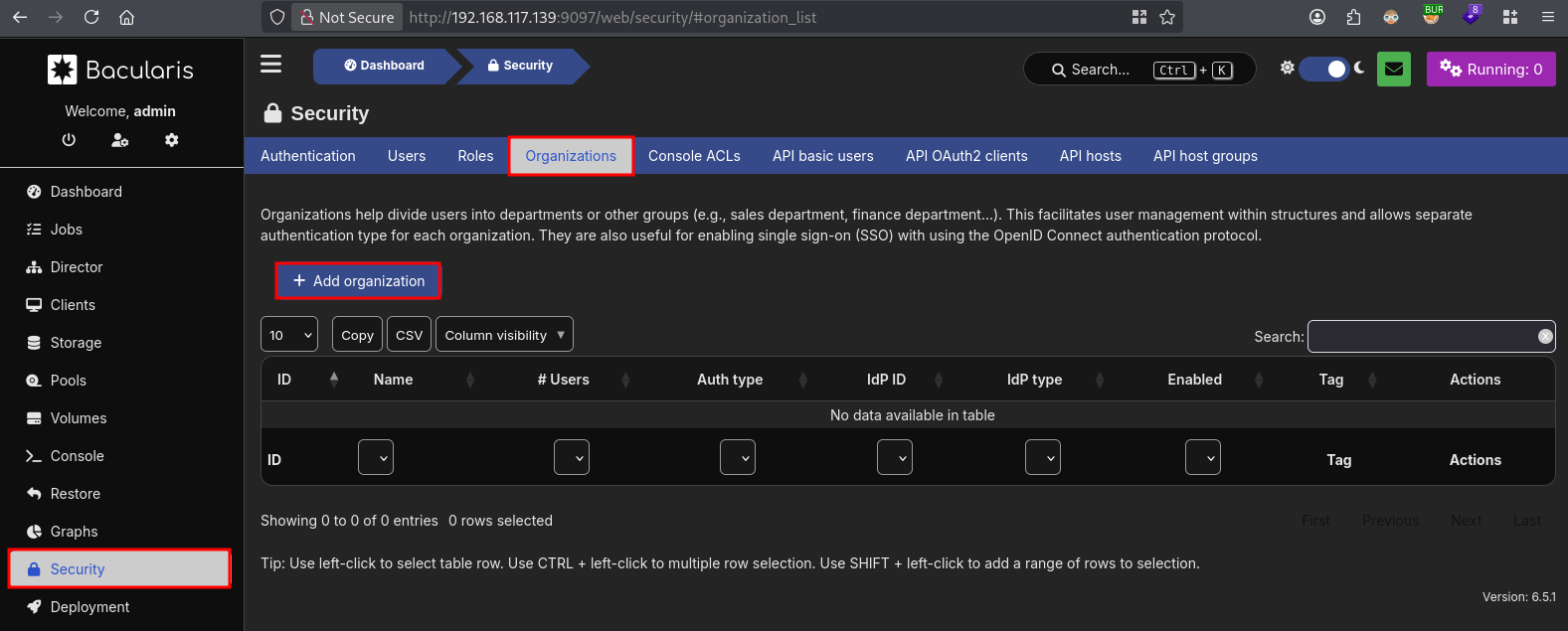
Go to Security / Organizations and click on Add organization.
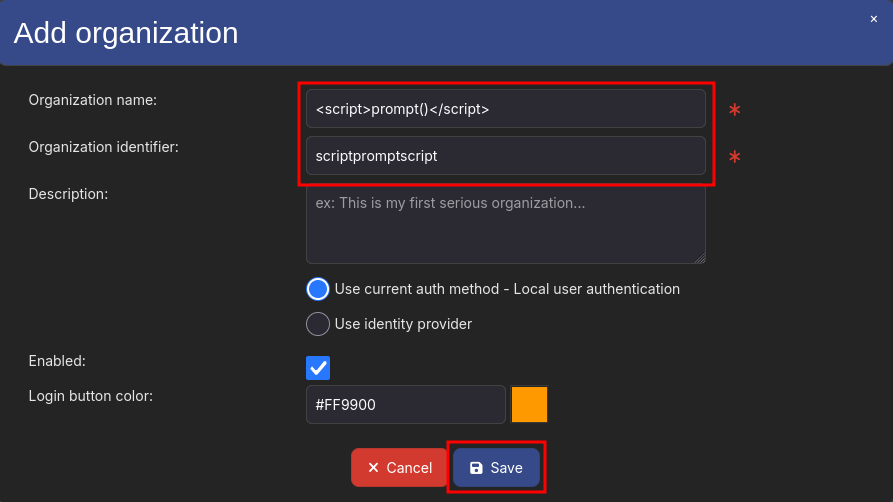
Add in the Organization name field the XSS payload, ex. <script>prompt()</script>, the Organization identifier get auto-filled. Now click Save.
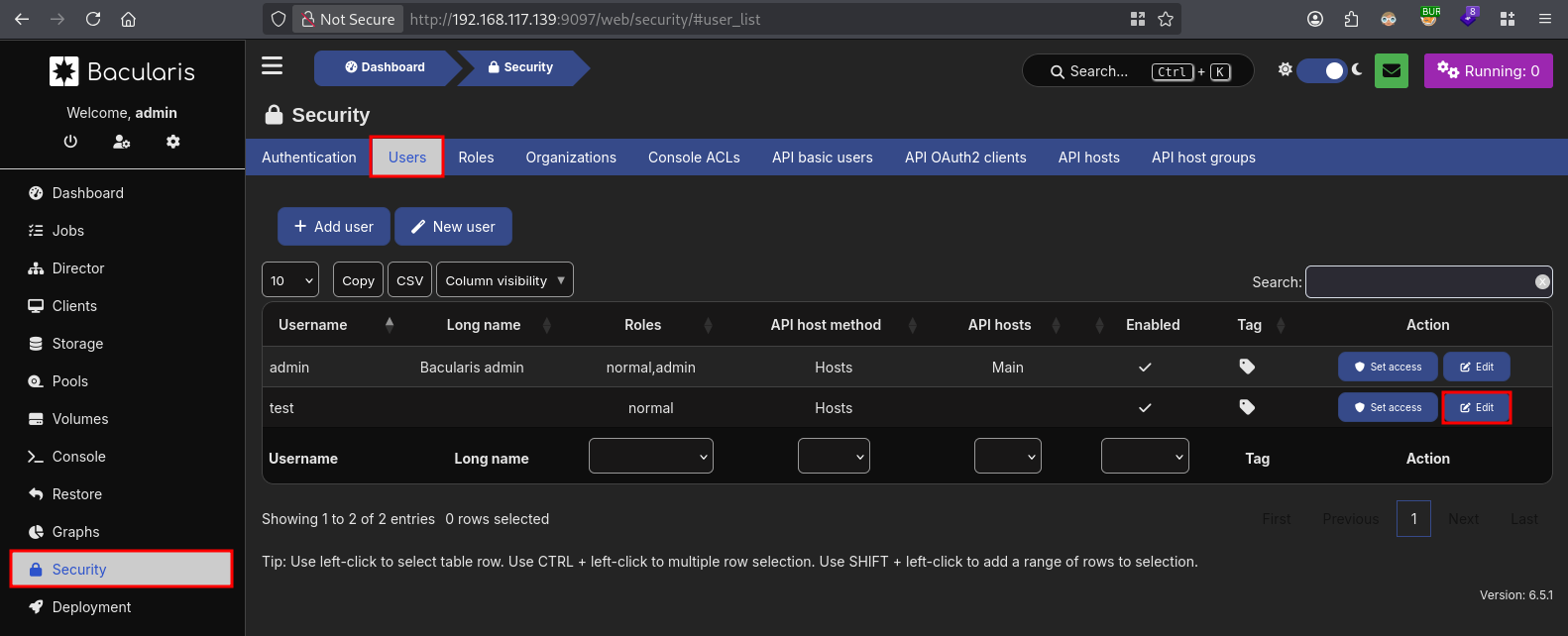
Click on the Users tab and click Edit on the newly created normal user.
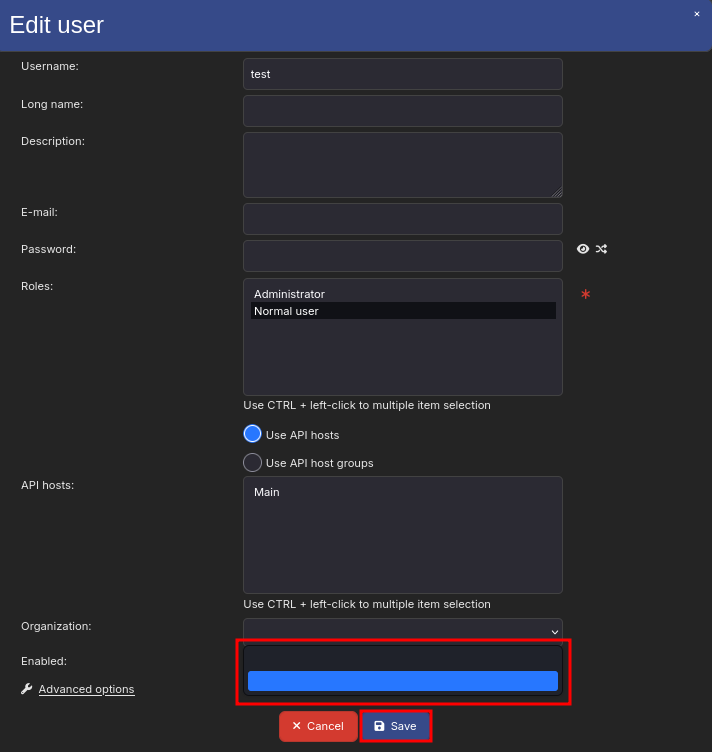
Now select the second empty organization and click Save.
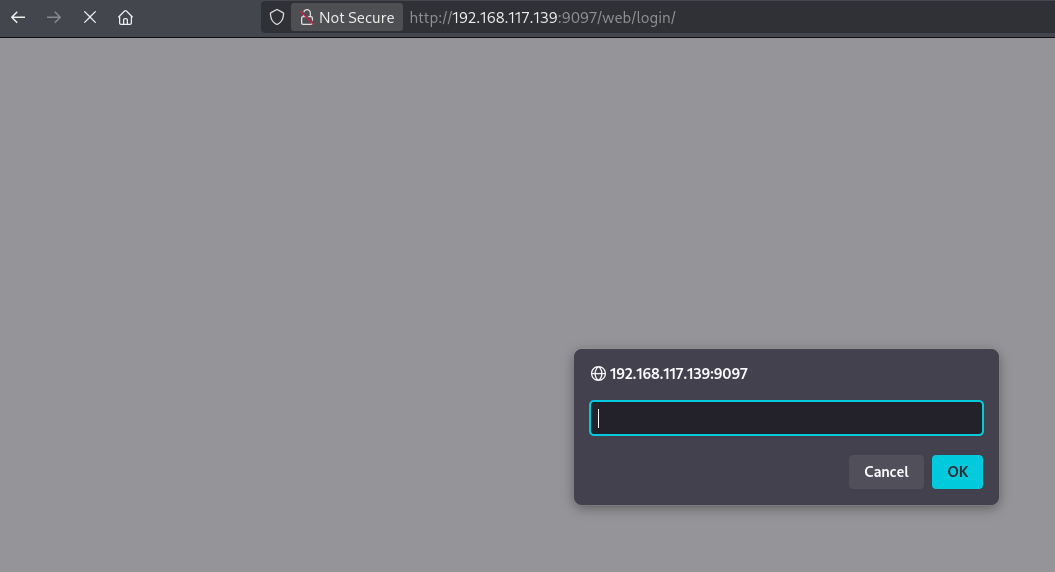
Now logout, in the left-right corner, and the payload gets executed.
Testing the exploit as a normal user #
Login as the new user with these credentials: test:password1. We get logged in as a normal user. Now, logout and the XSS payload gets executed.